Some systems keep score.
Genie runs the house.
One system for scoring, the till, the kitchen, the booking diary and the reports at the end of the night.
One platform, from the front door to the pin deck.
Some systems keep score. Switch Genie keeps score and runs the business around it.
Most centres run on three or four systems that do not talk to each other: a till, a paper waiting list, a phone for bookings and a spreadsheet for the league. Genie is one system doing all of it, over a single database, which is why the numbers at the end of the night add up without anyone reconciling them.
One database
Rates, menus, players, bookings and receipts live in one place. Nothing is entered twice and nothing drifts out of sync between the till and the lane.
Every touchpoint
Front desk, lane console, kiosk, the guest's own phone and your phone all read and write the same session.
Yours to configure
Rates by shift, guest-facing options, permissions per operator. Every switch is yours, and changes apply across all stations the moment you save.
Switch electronics
Pin detection, machine control and the score on the screen come off hardware Switch designs and builds. It interfaces with free-fall and string machines from every major manufacturer.
per day
Genie scoring and centre management on any pinsetter brand, with no upfront hardware cost.
See the campaignThe same system, from the first lane
of the morning to the drawer count at night.
Shift open
The operator signs in with a card, password or fingerprint and opens a drawer. Yesterday's shift is already closed and its Z-report filed. Today's rates, happy hour windows and menu are whatever you last saved, on every station at once.
Bookings and walk-ins
Reservations taken online overnight are on the grid with names, shoe sizes and packages. Walk-ins check themselves in at the kiosk by QR or code; when the house is full they join the electronic waiting list and are called as a lane frees.
The full house
Every lane on one screen with its game type, players and state. Guests order food from the lane console or their own phone, orders print at the right destination against the right tab, and a tap calls a waiter or a mechanic with the lane number attached.
Standings without paperwork
Formats, movement patterns, handicap categories and entry fees are held in the system. The standings engine posts results to the lane monitors as turns finish, and the league exports to BLS or BTM.
Cash up and back up
Drawers close against a counted confirmation, tips are attributed per operator, and the reports you need generate as PDFs or export to Excel. Encrypted cloud backup runs in the background without anyone remembering to start it.
Everything a centre runs on, in one place.
Each area below is documented in full under the tabs above.
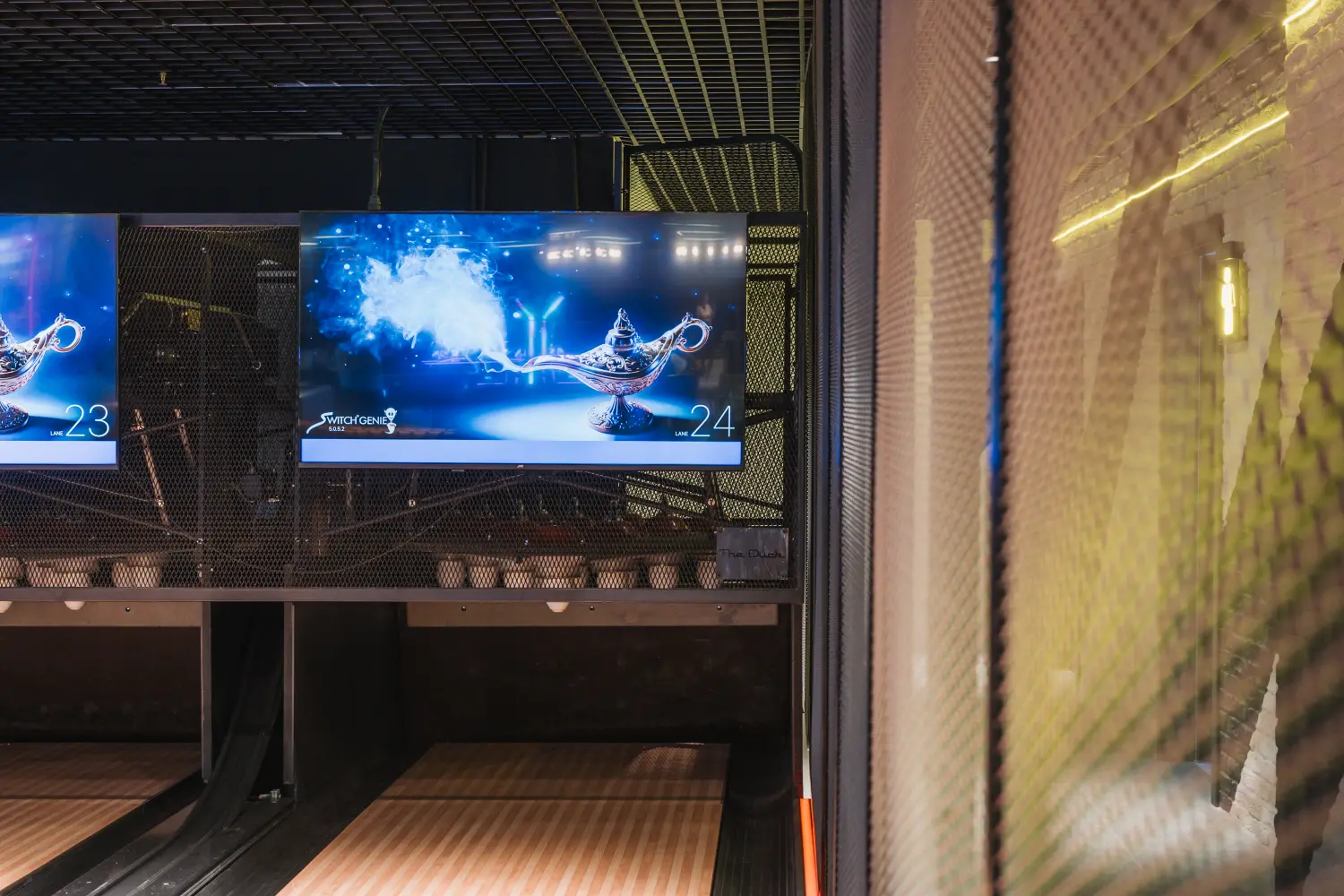
Scoring and the lanes
The pins are read after every ball and the score is on the screen before the bowler turns around. Bumpers raise and lower per player, so a child and an adult share a lane without anyone resetting anything. It interfaces with free-fall and string machines from every major manufacturer, which is what makes it viable as a retrofit.
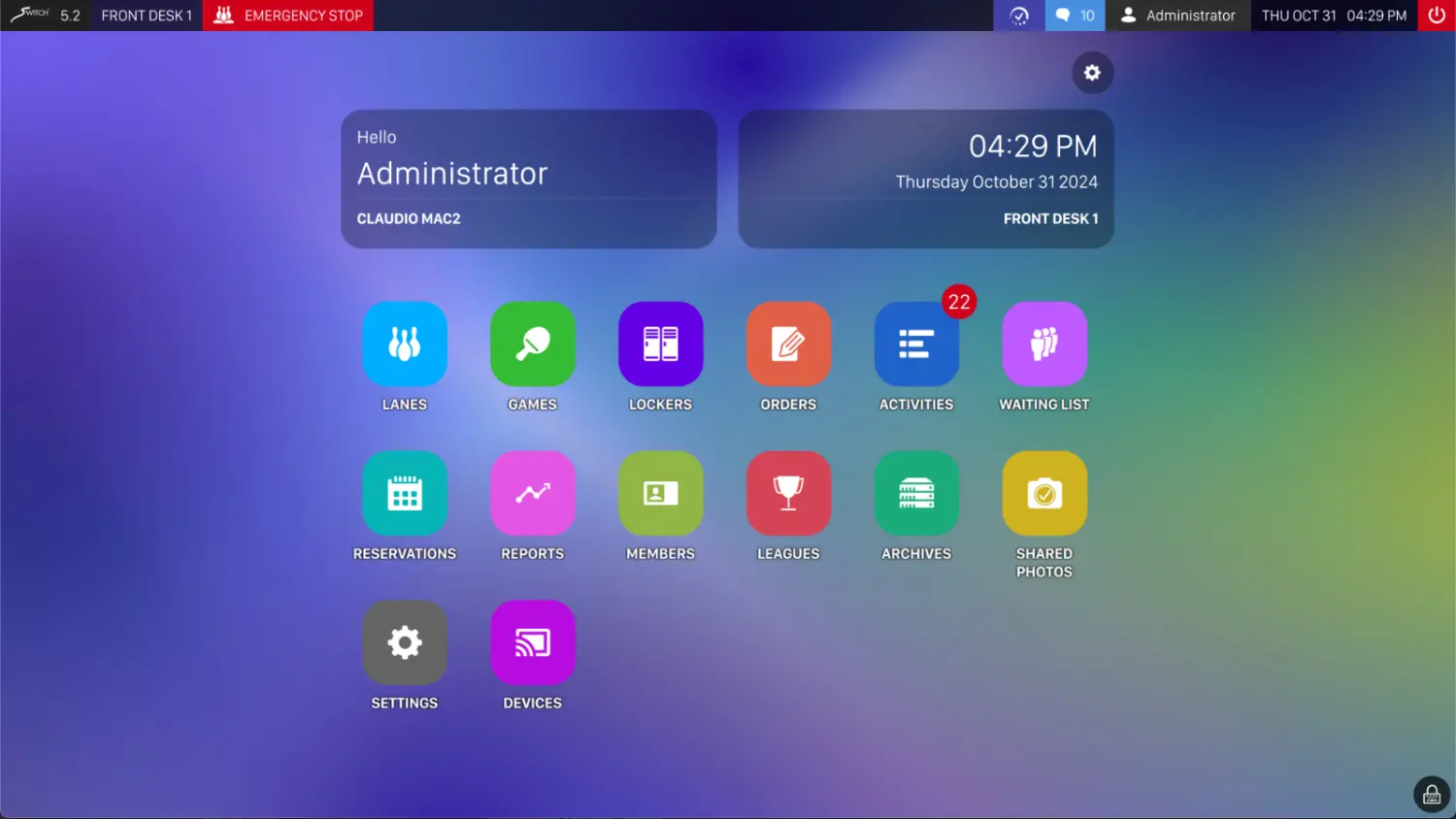
The front desk and the money
One sales screen covers lanes, food, rentals, cards and coupons. Tabs open at the counter, take additions from the lane or the bar and settle once. Drawers close against a counted confirmation, and the operations you would rather junior staff did not perform unsupervised are each gated behind a permission.
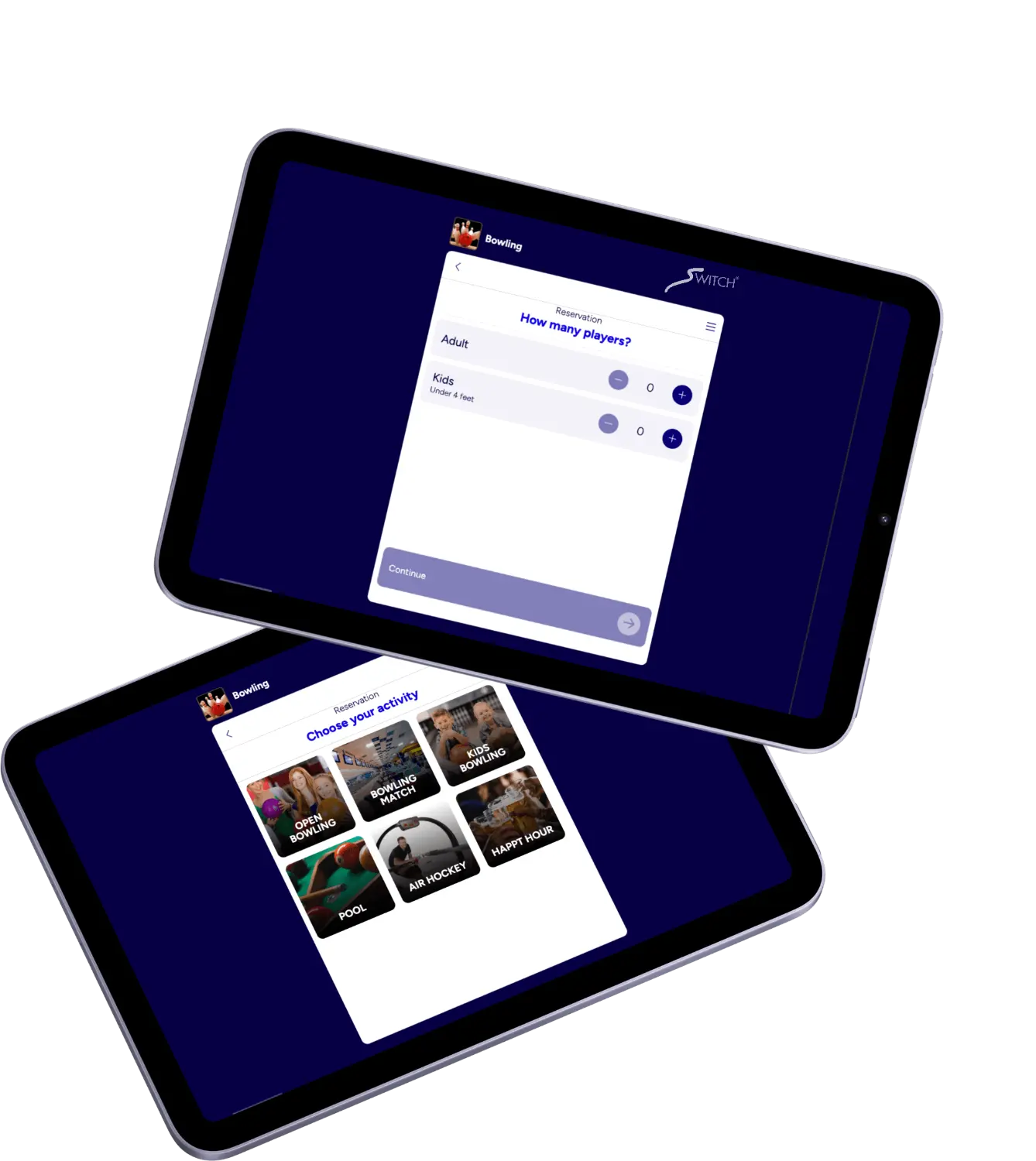
Rates, bookings and events
Rates carry the calendar with them, so nobody is changing prices on the night. Bookings arrive from the counter, the phone, the kiosk or your website and land on one grid regardless of origin. Players can be pre-entered so a booked group starts bowling without setup.
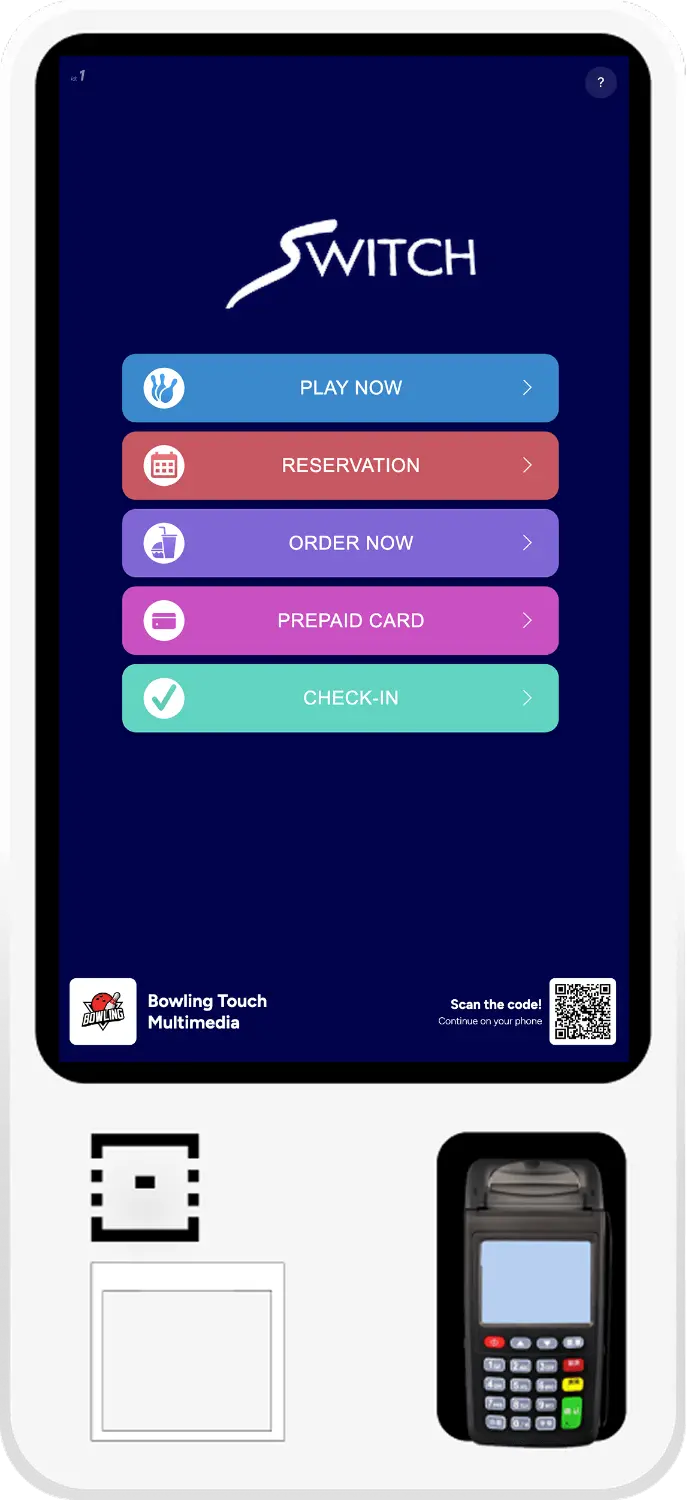
Self-service, three ways
The SwitchXpress kiosk handles walk-ins, bookings, orders, prepaid cards and QR check-in on its own terminal. The online booking page is yours to link from your site or a QR code on the door, synced in real time so there are no double bookings. The Web Console puts the same session on the guest's own phone with no app and no account.
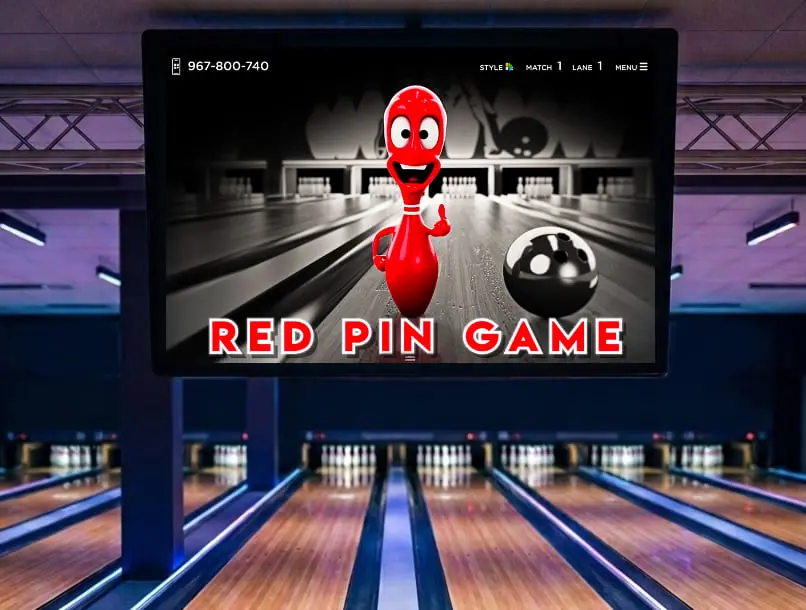
What the guest sees on the lane
Twenty-eight graphic themes in three families, seven colour variants each. Six point games run on the lane graphics: two built in, four from the add-on store. The Bowler's Console at the lane end is a 15-inch touchscreen, and every function on it is enabled or disabled from the front desk.
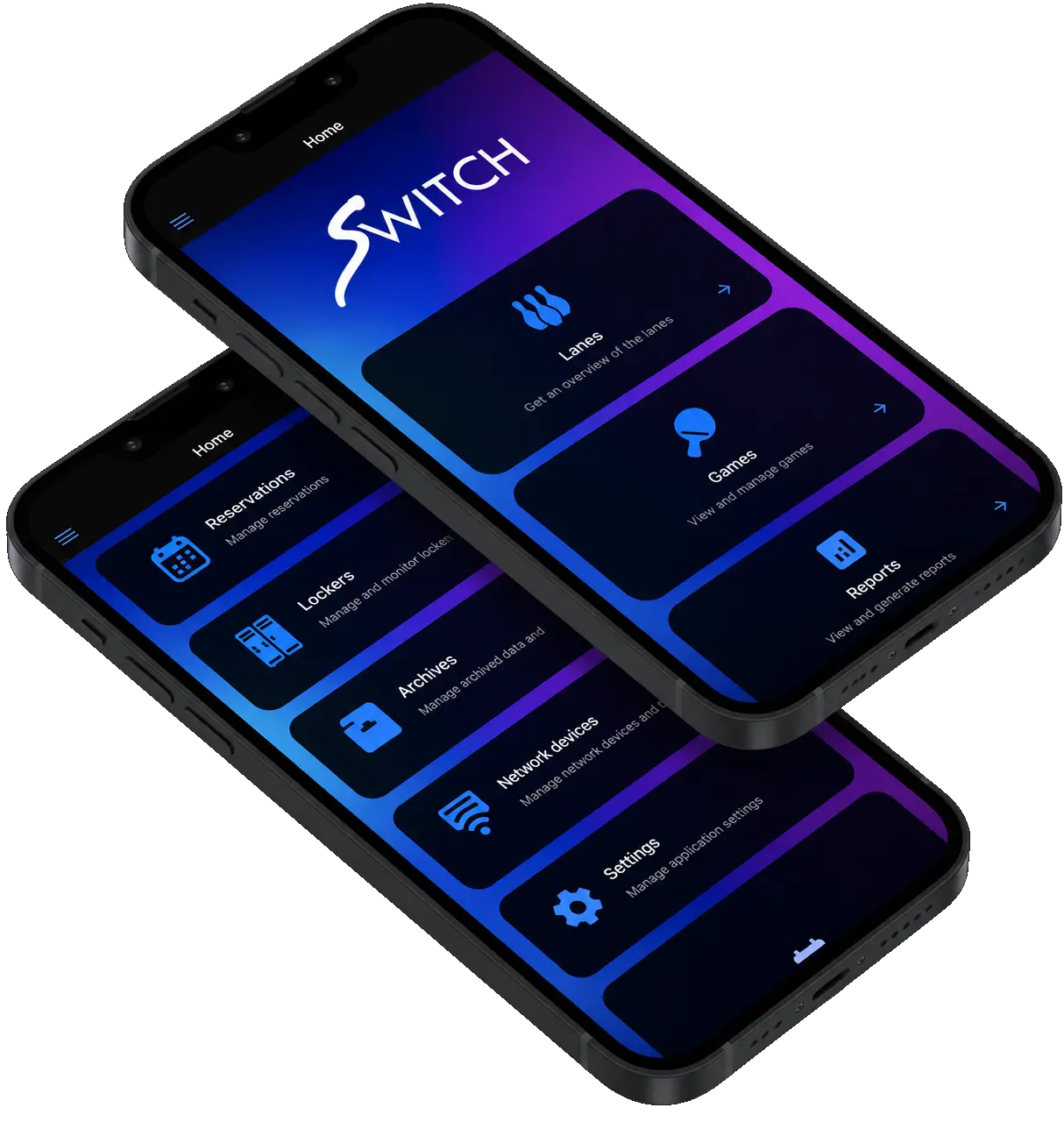
Reporting, remote control and data
Any report you want: filter it, chart it, export it, and the export covers the whole filtered set, not just the page on screen. The Remote Dashboard gives an owner the same view on a phone, on the same permissions their staff have at the desk. For anything bespoke there is a REST API and a live feed of every throw.
The four differences operators notice first.
Your busiest hour stops being a queue
Walk-ins check themselves in, guests who arrive to a full house join an electronic waiting list and are called as lanes free, and pre-entered players start bowling without setup. Staff stay on the floor instead of behind a screen.
Bigger checks without more staff
A group that can order from the lane console or their own phone orders again. Orders print at the correct destination against the correct tab, and TableTap lets a waiter take the order where it is placed rather than walking back to the counter to ring it up.
League night stops costing a night
Formats, movement patterns, handicap categories and entry fees are held in the system. Standings calculate as turns finish and post to the lane monitors, and the season exports to BLS or BTM instead of being retyped.
The numbers reconcile themselves
Rates, menus, players, bookings and receipts live in one database, so nothing is entered twice and nothing drifts between the till and the lane. Drawers close against a counted confirmation and the Z-report is a standard report, not a spreadsheet.

Genie is installed, commissioned and supported by Switch.
Switch designs and builds the electronics the score runs on, which means the company answering the phone about a lane is the company that made the hardware. Service, spare parts and technical support run through Switch Care and your regional distributor.
More on Switch CareThe pins are read after every ball and the score is calculated with no perceptible gap between the ball arriving and the display updating. Around that sit the things an operator actually does thirty times a night: move a group to another lane, change a rate mid-game, fix a frame the system misread, put a lane out of service.
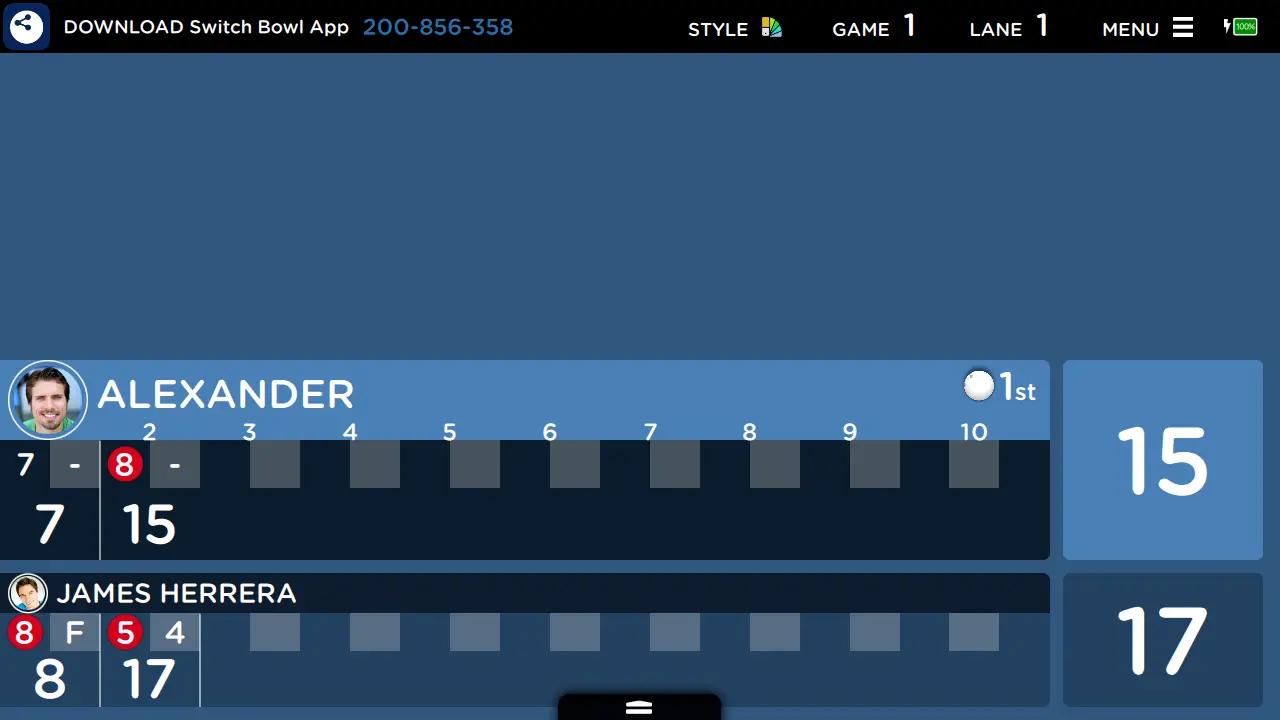
The score, before the bowler turns around
The pins are read after every ball and the frame updates on the lane display while the bowler is still walking back. What the group sees above the lane is the same data the desk is working from: frame by frame, player by player, live.
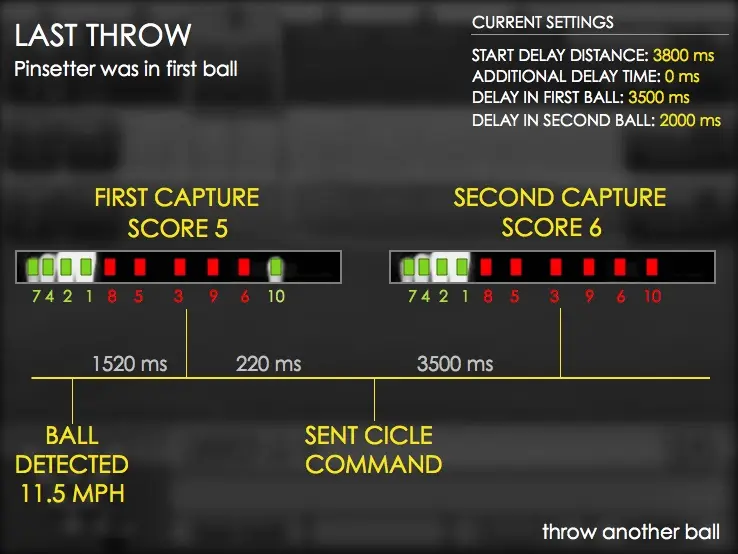
Two captures per ball, timed to the machine
The system reads the deck before and after each ball, with the capture delays tuned to your pinsetter cycle. Ball speed is recorded on the same throw.
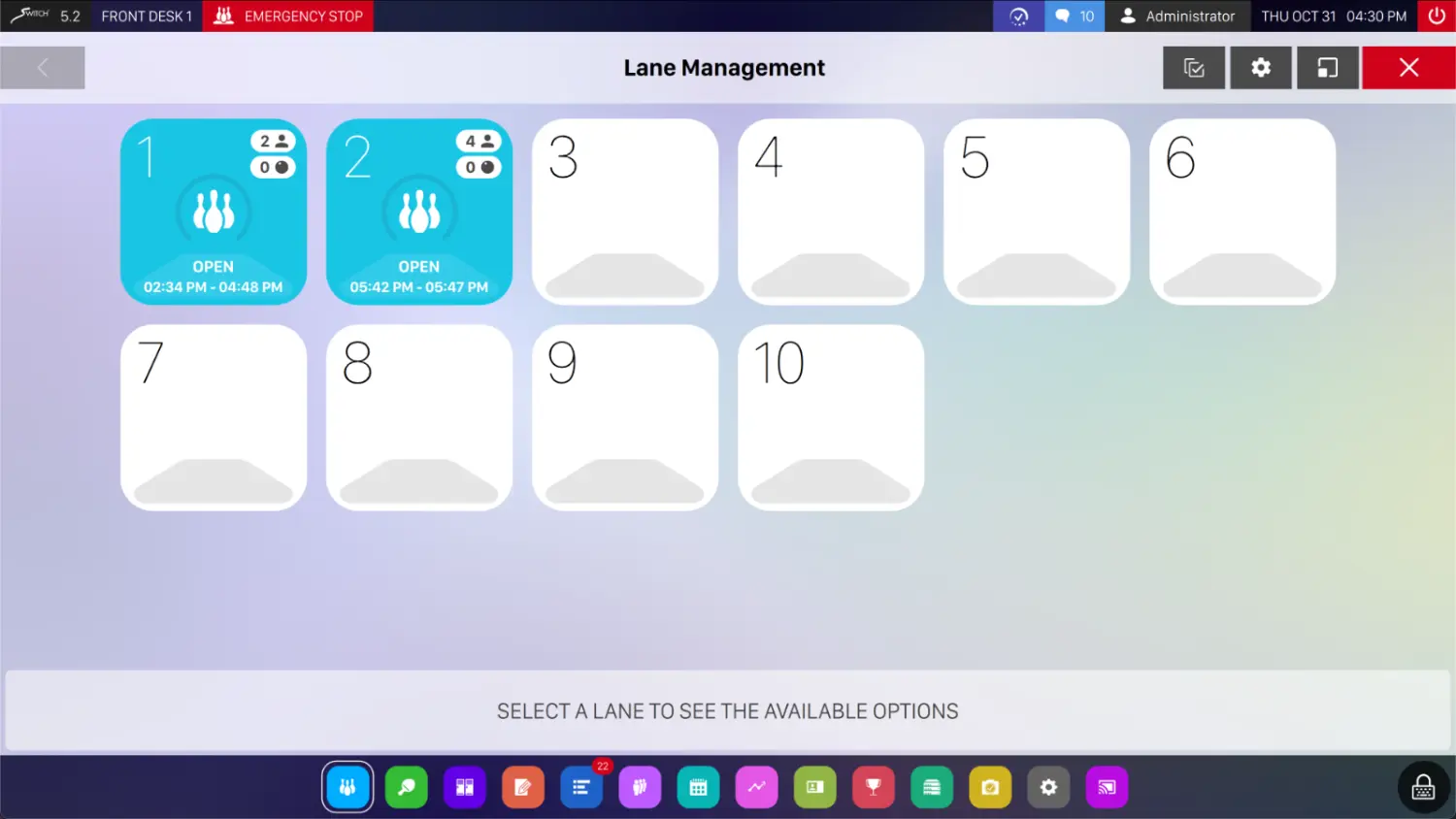
Every lane on one screen
Each lane carries its state, its game and the group on it. Select one and only the options that apply to it appear: open a game, move players, change the rate, take it out of service.
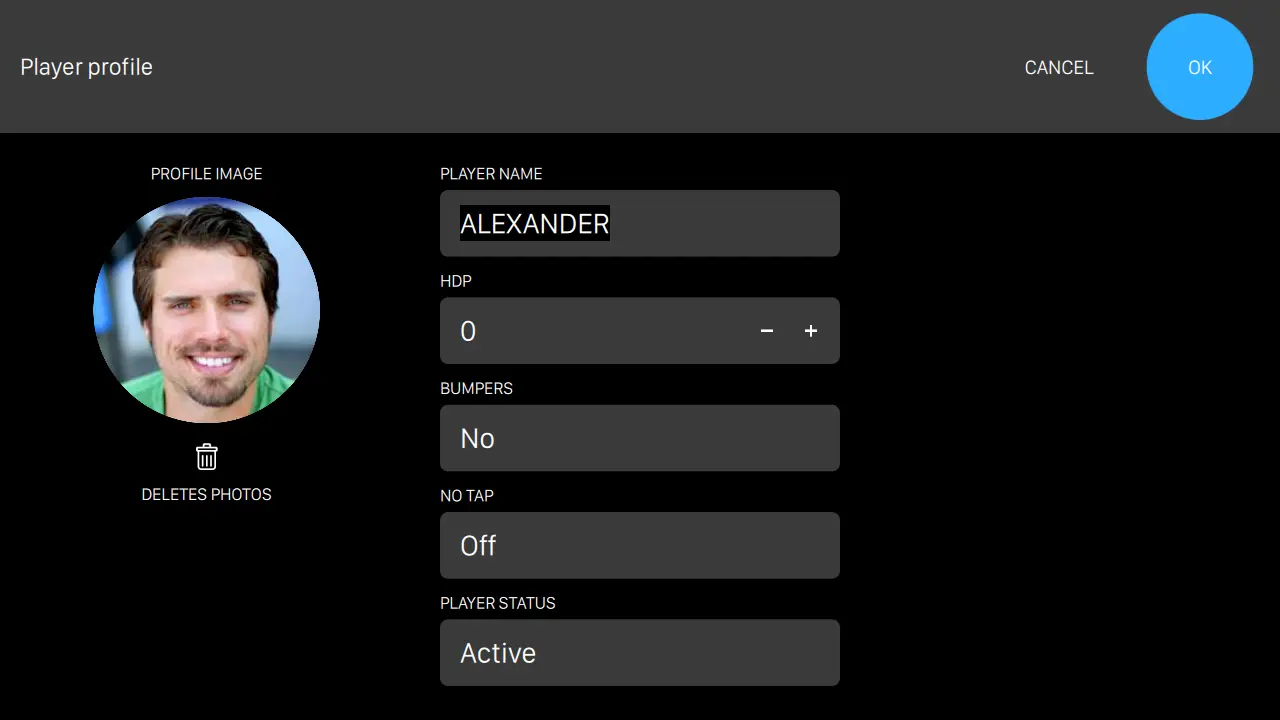
Bumpers, no-tap and handicap held against the bowler
Each player in a group carries their own settings: bumpers up or down, no-tap on or off, handicap figure and player status. A child and an adult share a lane without anyone resetting anything between throws.
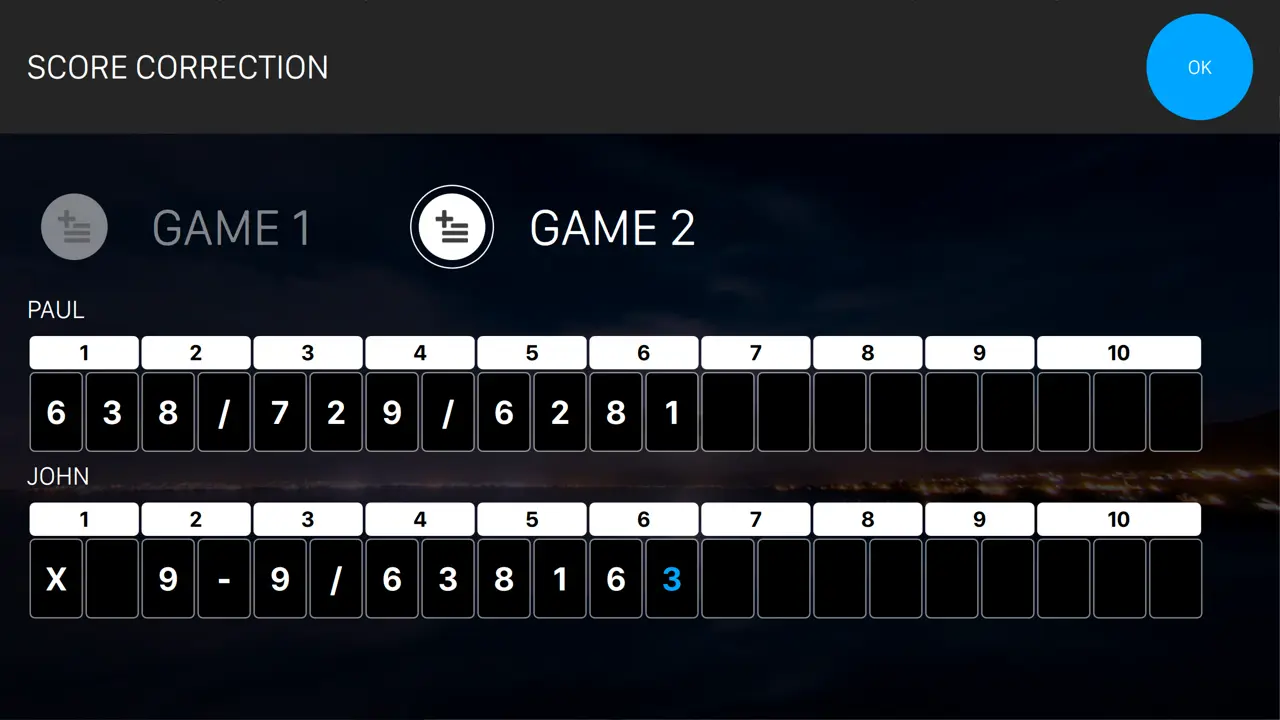
Fix the frame the system misread
Open the game and correct it frame by frame, for one player or the whole card, at the desk or from the lane console within the limits you set.
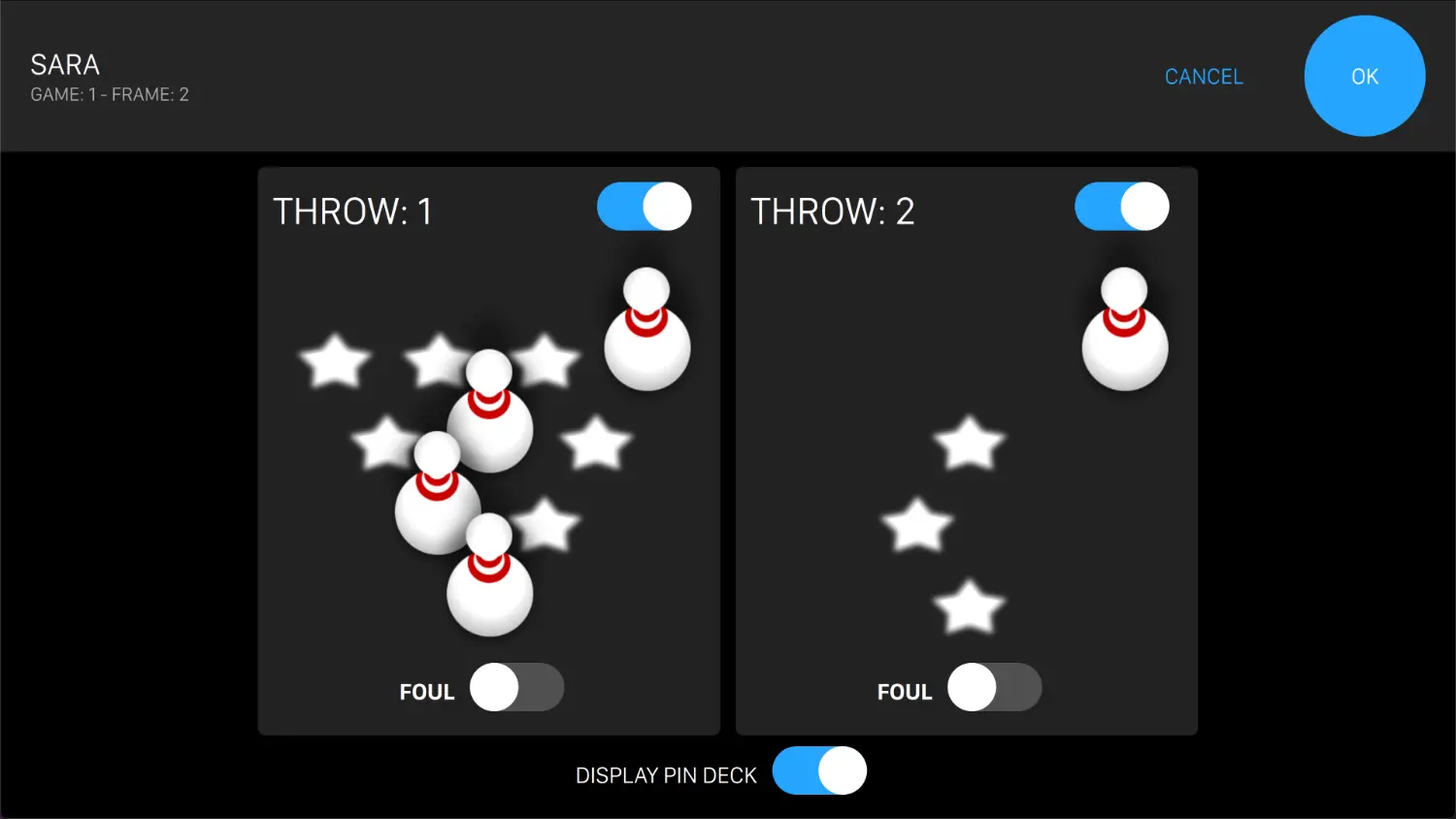
Which pins fell, and whether it was a foul
Open a throw and set the deck as it actually stood, with the foul flag on either ball. The frame, the running total and the player's average all follow from the correction.
Detection and assistance
What the system reads on the lane, and the aids you can turn on per player or per lane.
Handicap and averages
Everything competitive play needs, held against the player rather than the session.
Pricing and game management
How a lane is sold, and what an operator can change once it is running.
Machines and retrofit
What the scoring runs on, and what stays where it is when Genie goes in.
Activities beyond bowling
Billiards, karting, courts and similar time-based attractions run in the same system, on the same tab.
Seven formats, selectable per game and changeable after a game has started.
The front desk is where a centre either runs smoothly or leaks money. Genie puts the item grid, the payment page, the open tabs and the drawer procedures in one place, with authorisation on the operations you do not want junior staff performing unsupervised.
The whole centre from one home screen
Lanes, orders, reservations, members, reports and settings from a single station, under the operator signed in and the permissions attached to them.
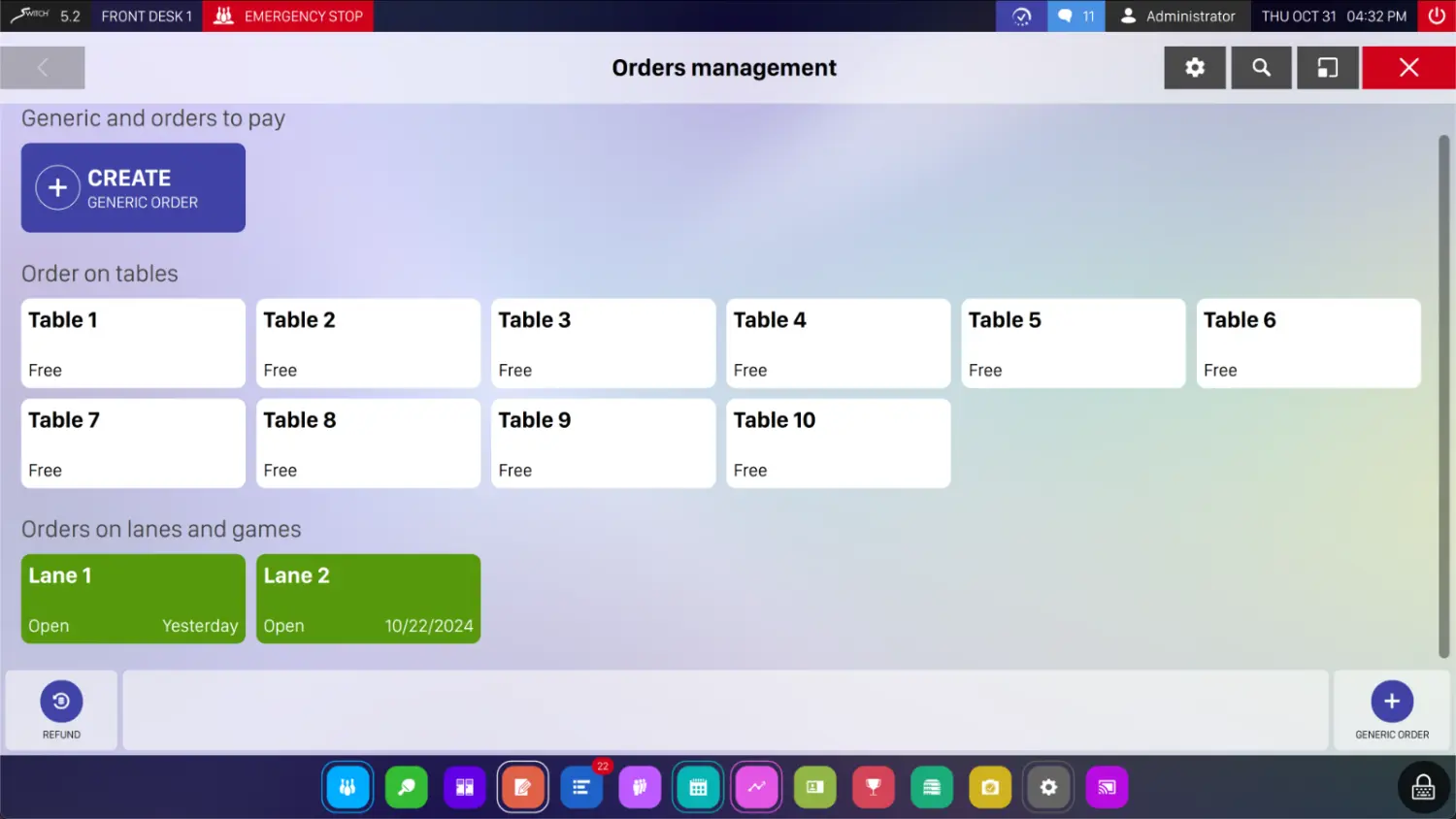
Tables, lanes and open tabs in one view
Create an order and take payment, or leave it open against a table or a lane. What is outstanding stays visible, and every ticket carries the destination it is going to.
Taking money
Twelve ways to pay, including the cashless card operators your arcade may already run on.
Cash handling and control
The procedures that make the till reconcile without an argument.
Food and beverage
Orders belong to a lane, a game or nothing at all, and always arrive at the right destination.
Catalogue and issuing
What you sell, and the instruments you sell it with.
Rates carry the calendar with them: weekday and weekend, happy hour, holidays, special days and member-only pricing. Reservations sit on a grid and a calendar, arrive from the desk, the phone, the kiosk or the website, and land in the same place regardless of where they came from.
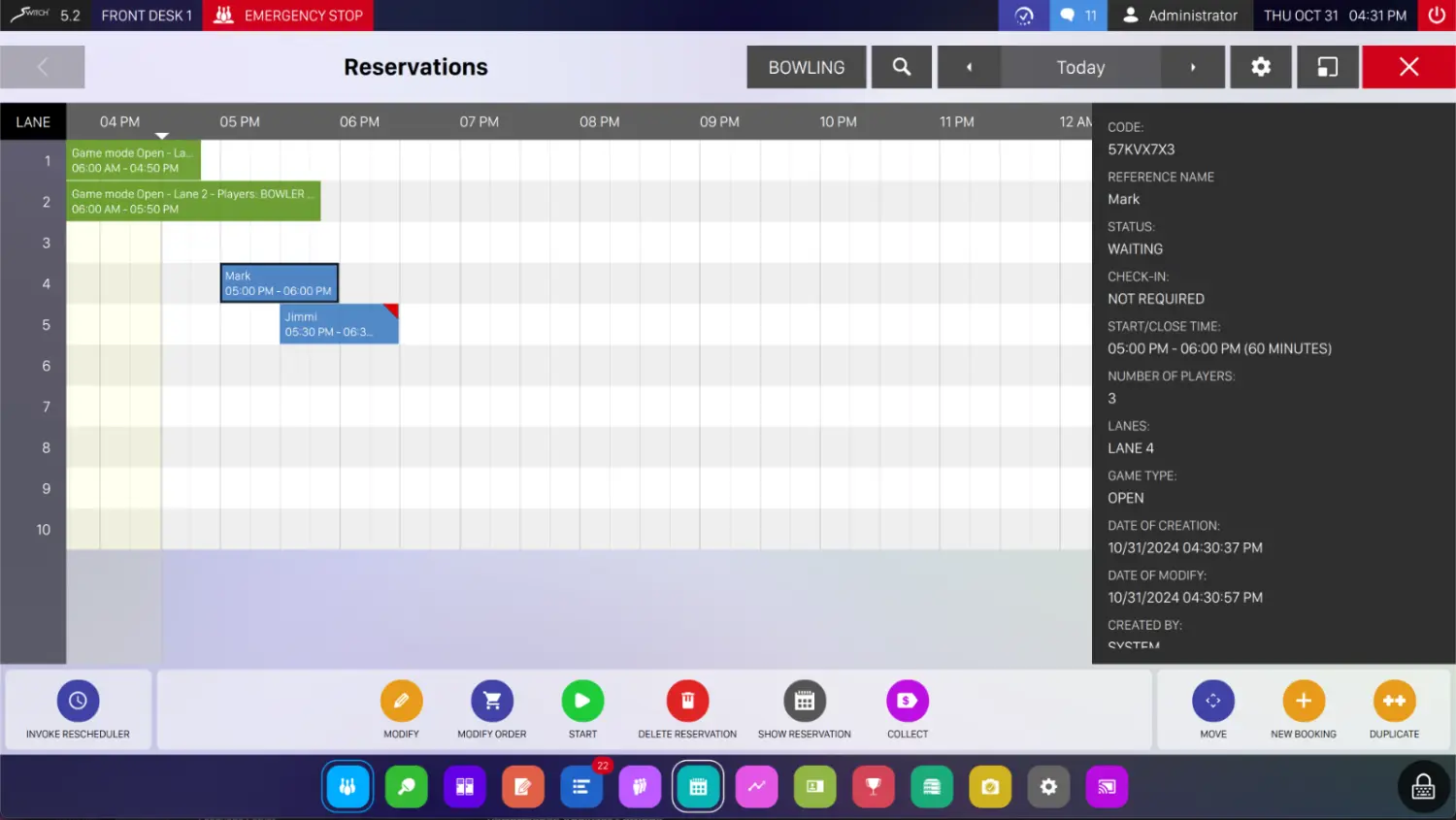
One grid, whatever channel the booking came from
Lanes down the side, the day across the top, the detail of each booking alongside. Reservations taken at the counter, on the phone, at the kiosk or on your website all land here.
Rates and the calendar
Definitions that follow the day rather than needing changing on the night.
Reservations
One diary, whether the booking came from the counter, a phone call, the kiosk or the website.
Notifications and archives
What the guest and the owner hear automatically.
League night is the most administratively expensive thing a centre does by hand. Genie holds the format, the participants, the turns and the movement pattern, calculates the standings as games finish, pushes them to the lane monitors, and exports to the league systems your association already uses.
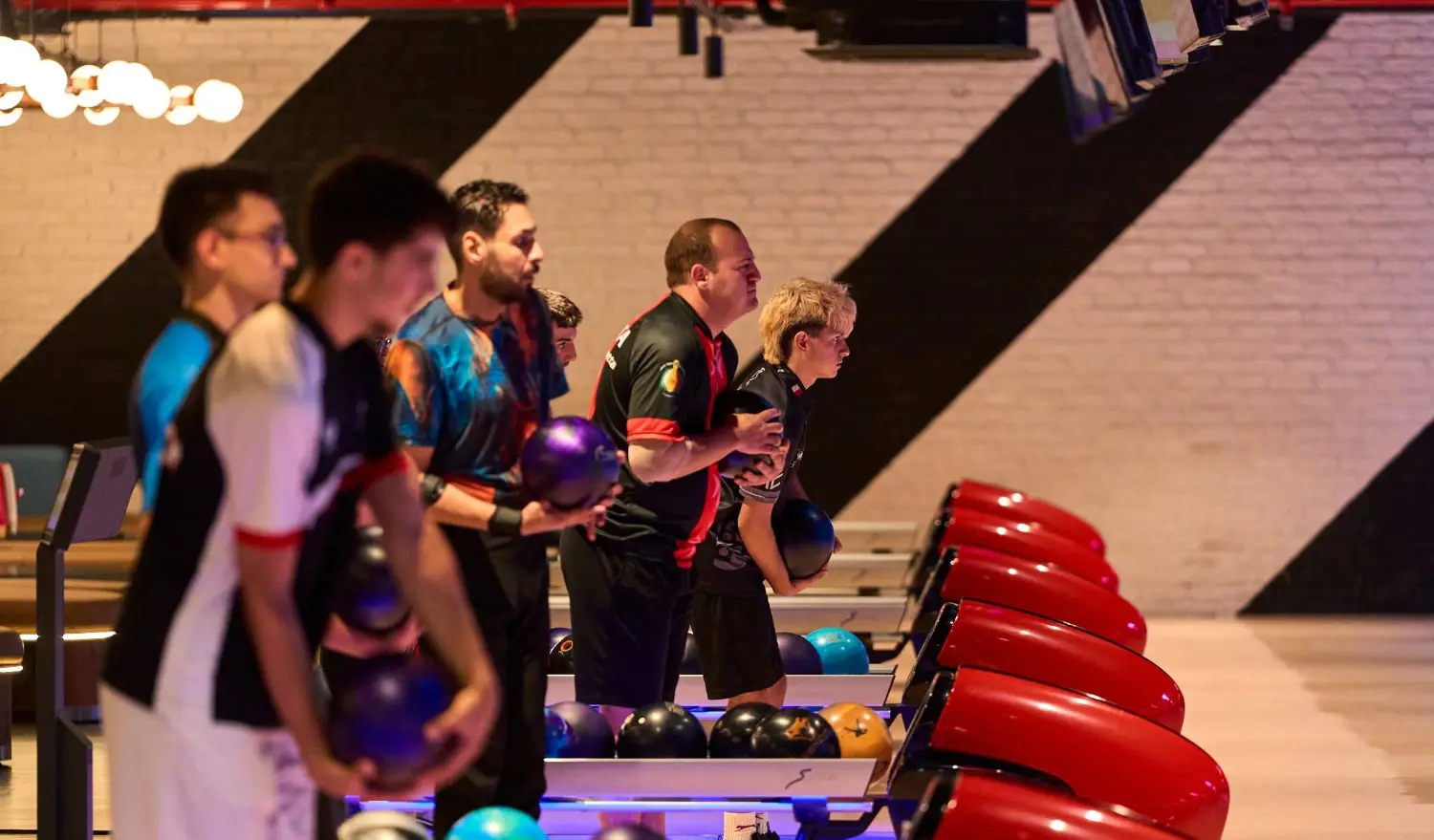
A full house of teams, run from one screen
Entries, squads and turn order are held in the system, so a tournament night runs on the same front desk your staff already use.
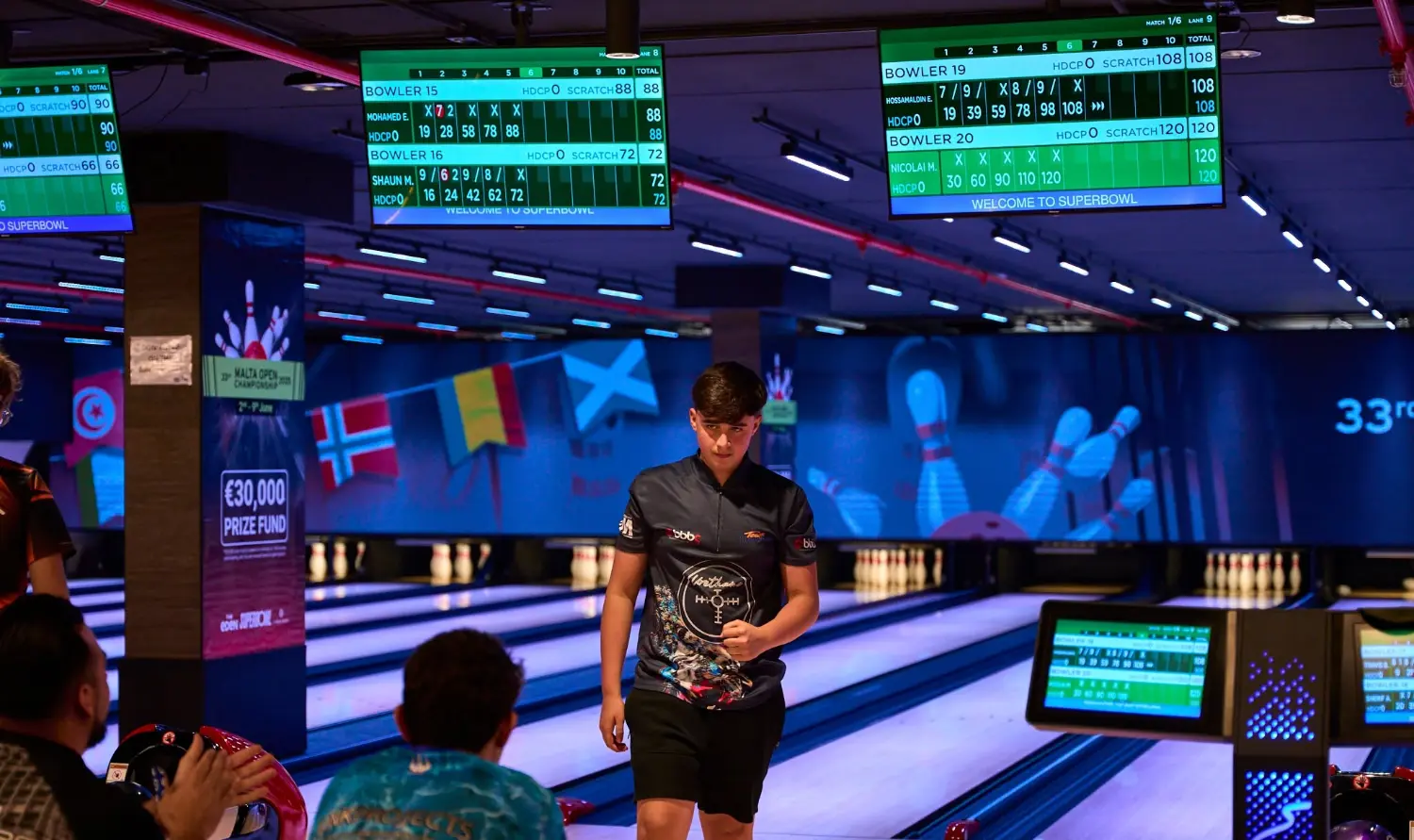
Standings posted while play continues
Results are calculated as games finish and published to the monitors, the website and the printed sheets without anyone retyping a score.
Setting up a competition
The definition work, done once per season.
Standings and publishing
Results that appear without anyone typing them in.
Members carry a record: their games, their averages, what they have spent and what they are owed. Identification is by NFC card or fingerprint, so a league bowler is recognised at the desk or the lane console without spelling their name. Lockers are managed in the same system rather than on a clipboard.
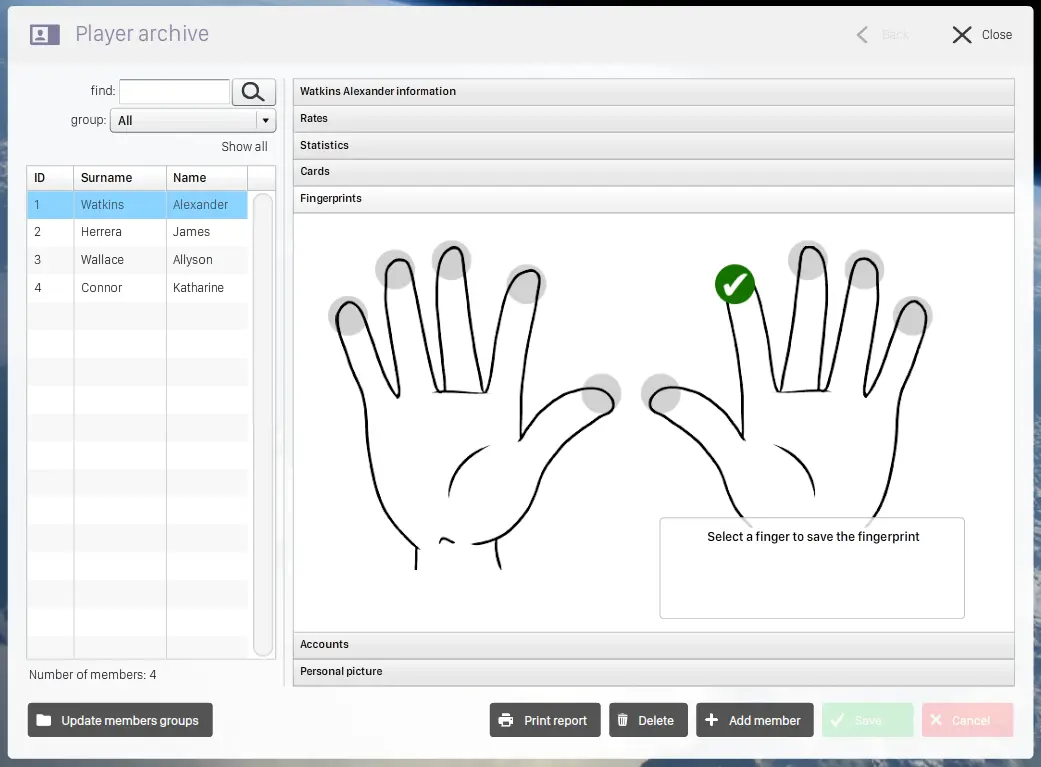
A finger instead of a name
A member is enrolled once at the desk, with the finger they register saved against their record. At the lane console the same finger loads their profile, averages and account.
Members
The registry, and how a member is recognised.
Lockers
Rental as a managed revenue line rather than a favour.
Feedback
What guests thought, collected rather than guessed at.
Report Studio is a web application, so the manager does not need to stand at the front desk to read the numbers. Every report has a filter bar; exports cover the whole filtered set rather than the visible page; tables sort and paginate; and any filtered view can be shared as a link or printed as a PDF. An Overview dashboard carries the headline KPIs.
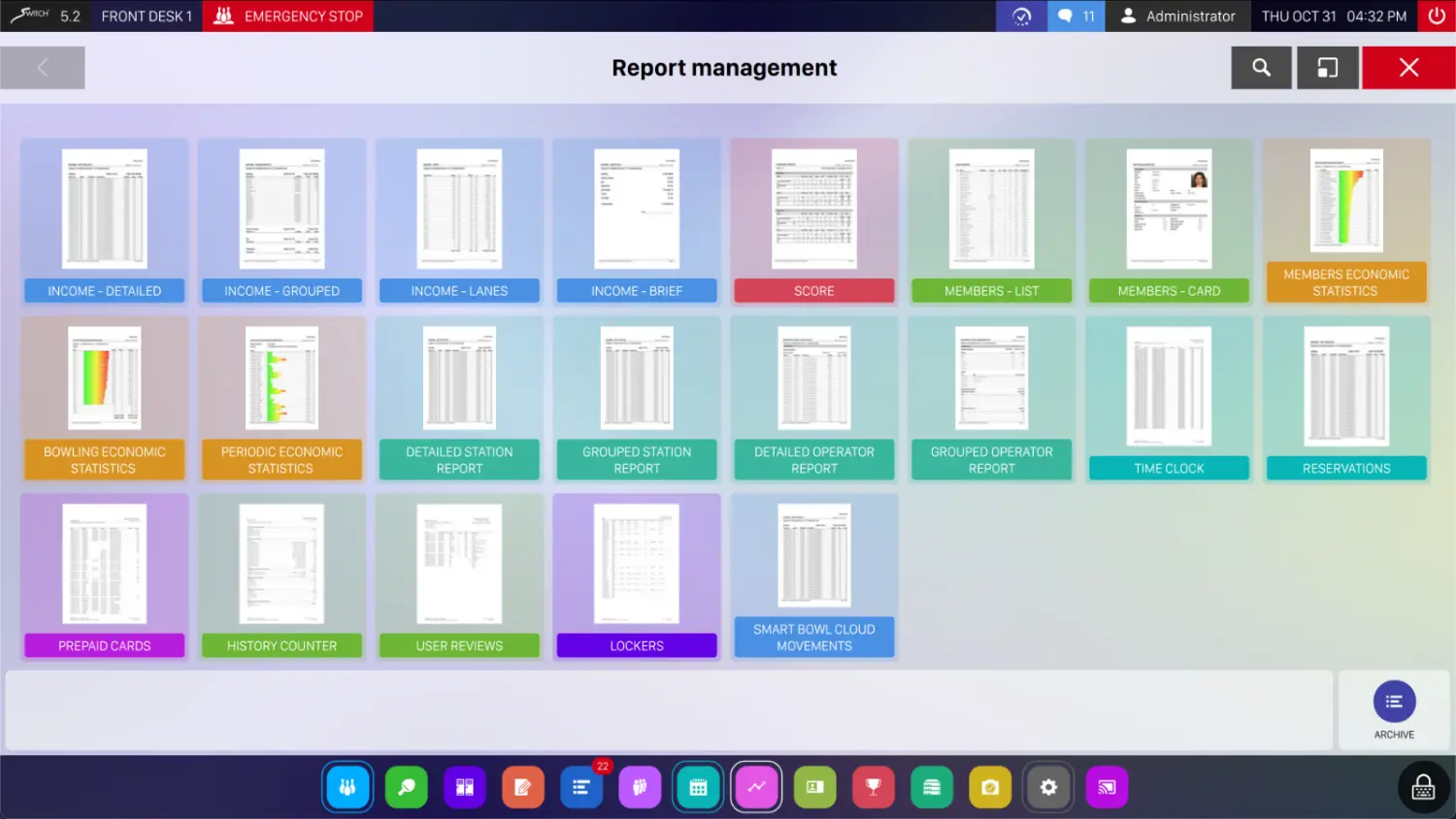
The whole library on one screen
Every report grouped by what it covers. Open one and the filter bar, the chart and the export behave the same way wherever you read it, at the desk, in the browser or on a phone.
How the reports work
The behaviour shared by every report in the studio.
Included with every installation.
Deeper operational and commercial analysis.
For operators managing yield and staffing closely.
The earlier report set, retained for continuity with existing procedures.
Walk-ins check in, book, order and pay at the kiosk in under a minute. Online, the booking engine is a white-label page you link from your website, your social channels or a QR code on the wall, with real-time availability against the front desk, so there are no double bookings and no phone calls to field at peak.
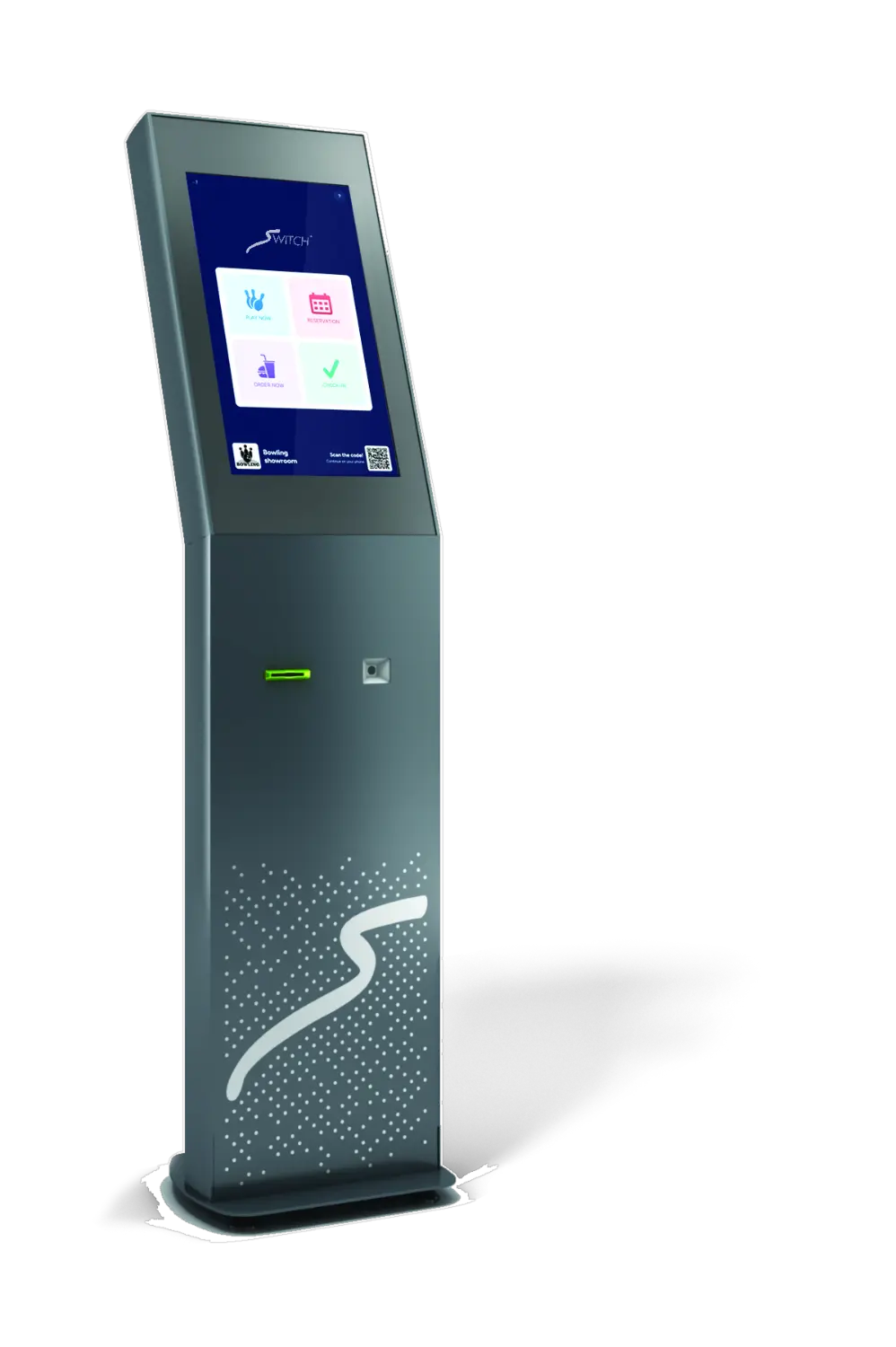
A free-standing kiosk in the entrance
A floor-standing touchscreen with a card reader and scanner, placed where guests come in. It takes a booking, a check-in, a card top-up or a food order without anyone at the counter.
Every way in, on one screen
Play now, book, order, activate or check a card, or check in against a reservation. Each route is one tap, and a QR hands the session to the guest's phone if they would rather finish there.
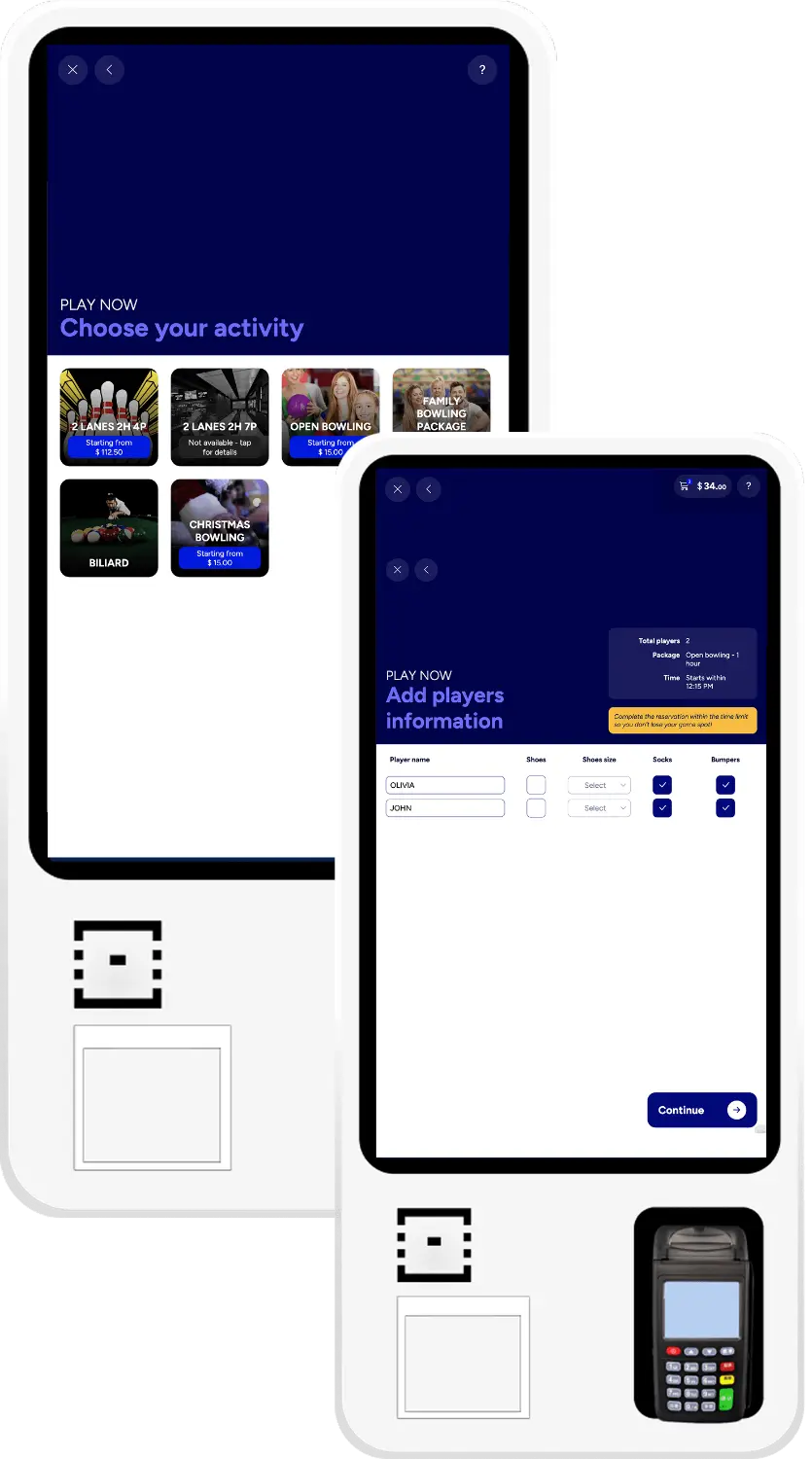
Walk-in to lane, without the queue
The kiosk offers only what is genuinely free right now. Players, package, duration, optional food, then payment on the kiosk terminal or on an open tab at the desk, and the lane starts itself.
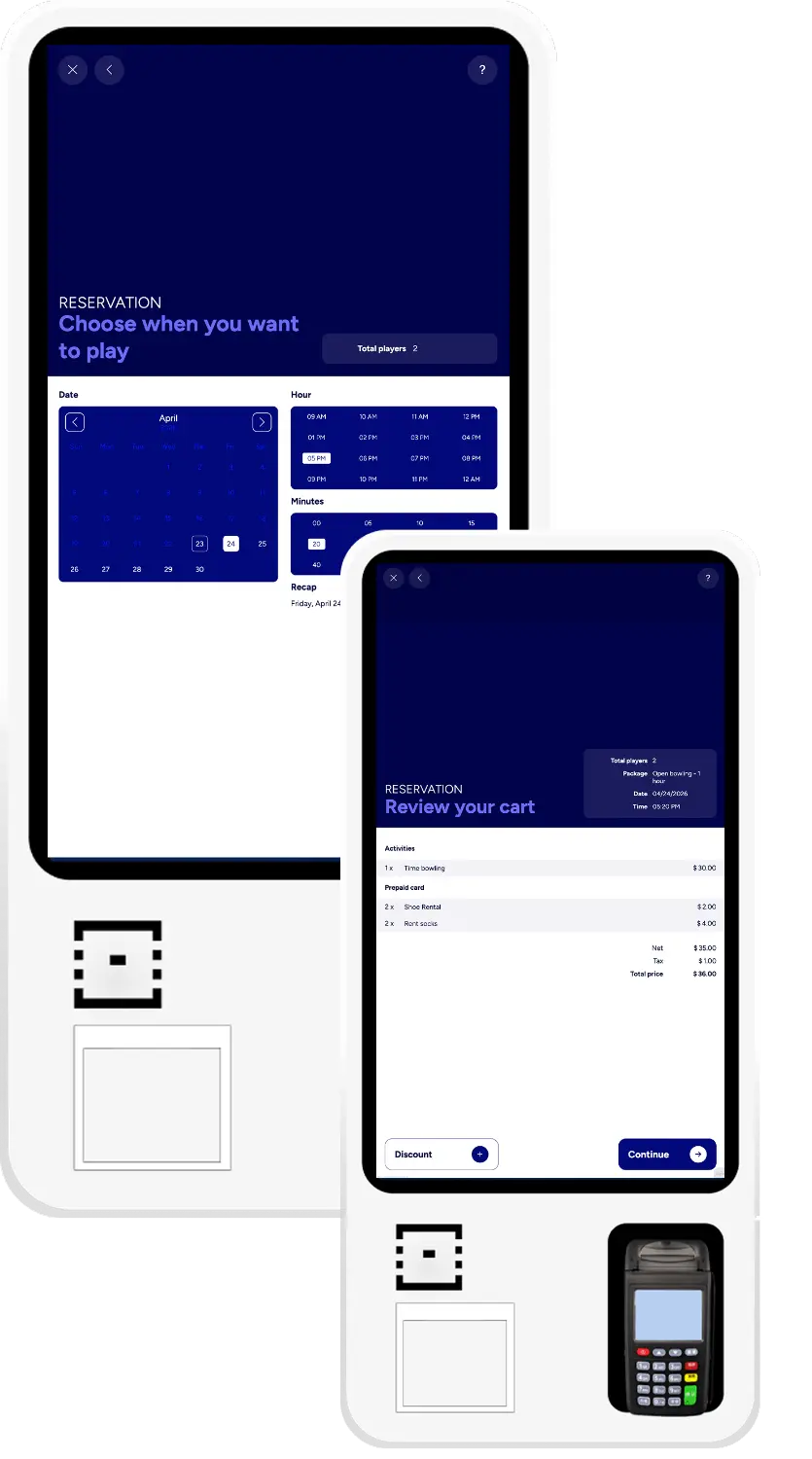
A booking taken without taking your time
Calendar by day, hour and minute, players by category, and a short contact form for the SMS and email confirmation. The booking lands on the front desk in real time, exactly like one made at the counter.
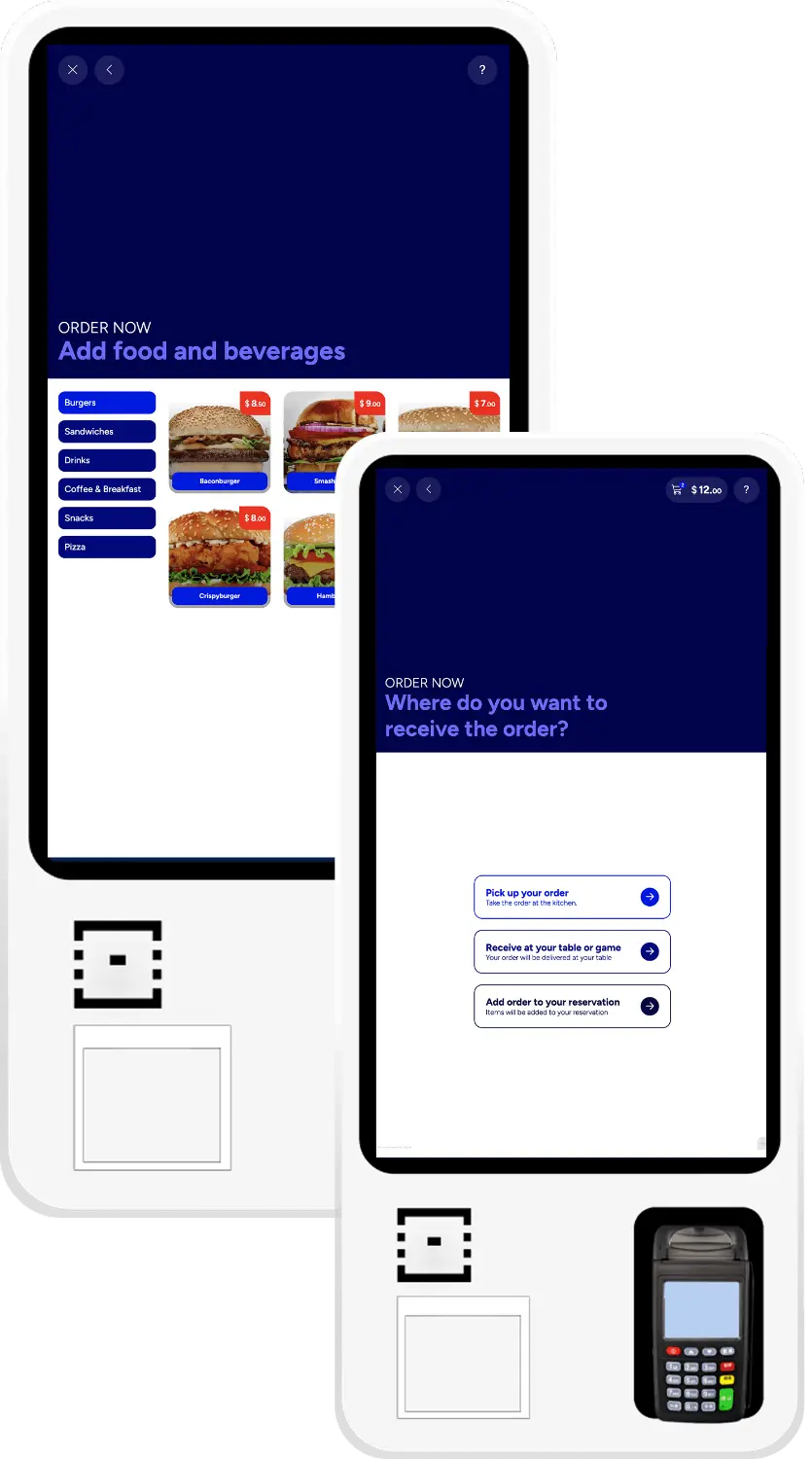
Food and drink, with the rules you set
The full catalog with add-ons, variants and notes for special requests. The guest picks delivery to the counter, the table or the lane, or adds the items to a reservation they already hold.
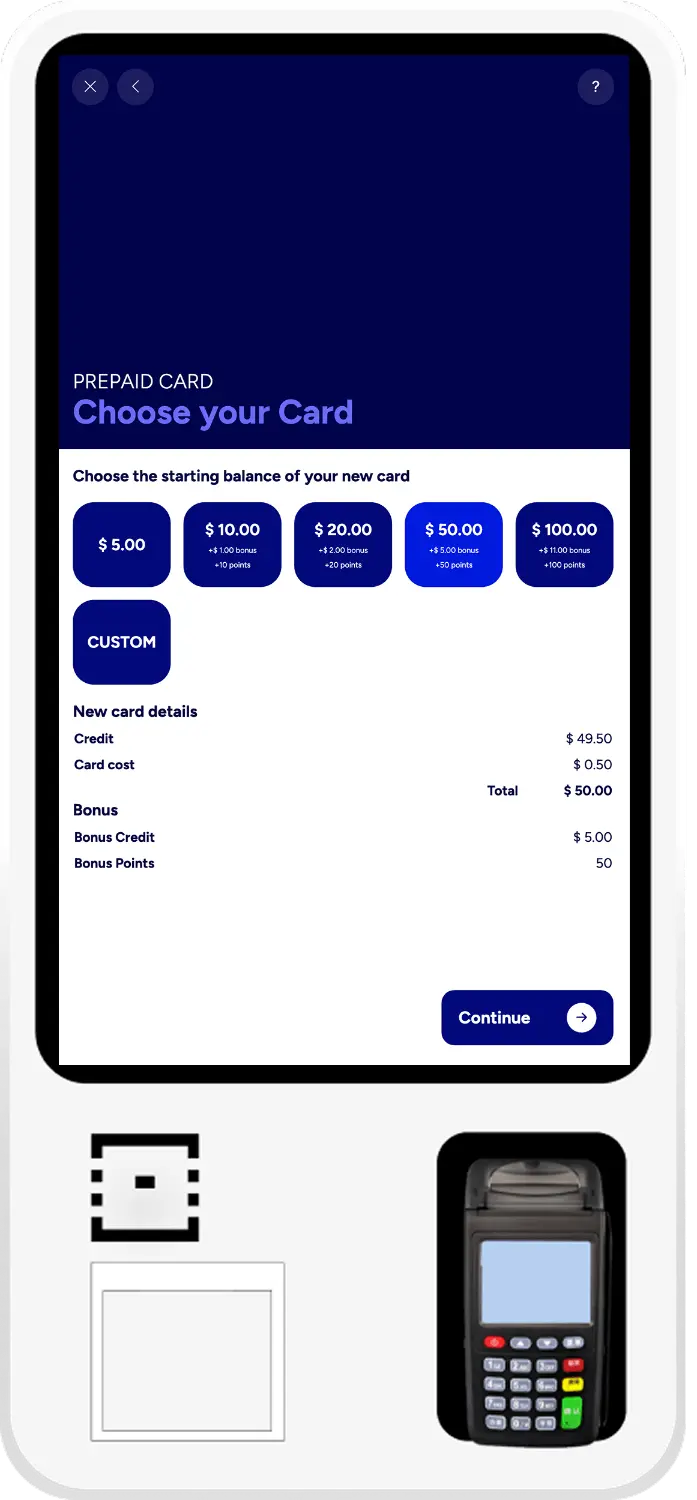
Activation the guest handles themselves
The desk hands over the physical card and the guest activates it at the kiosk: a preset amount with credit, bonus and points already configured, or a custom top-up. Paid on the kiosk terminal and live immediately.
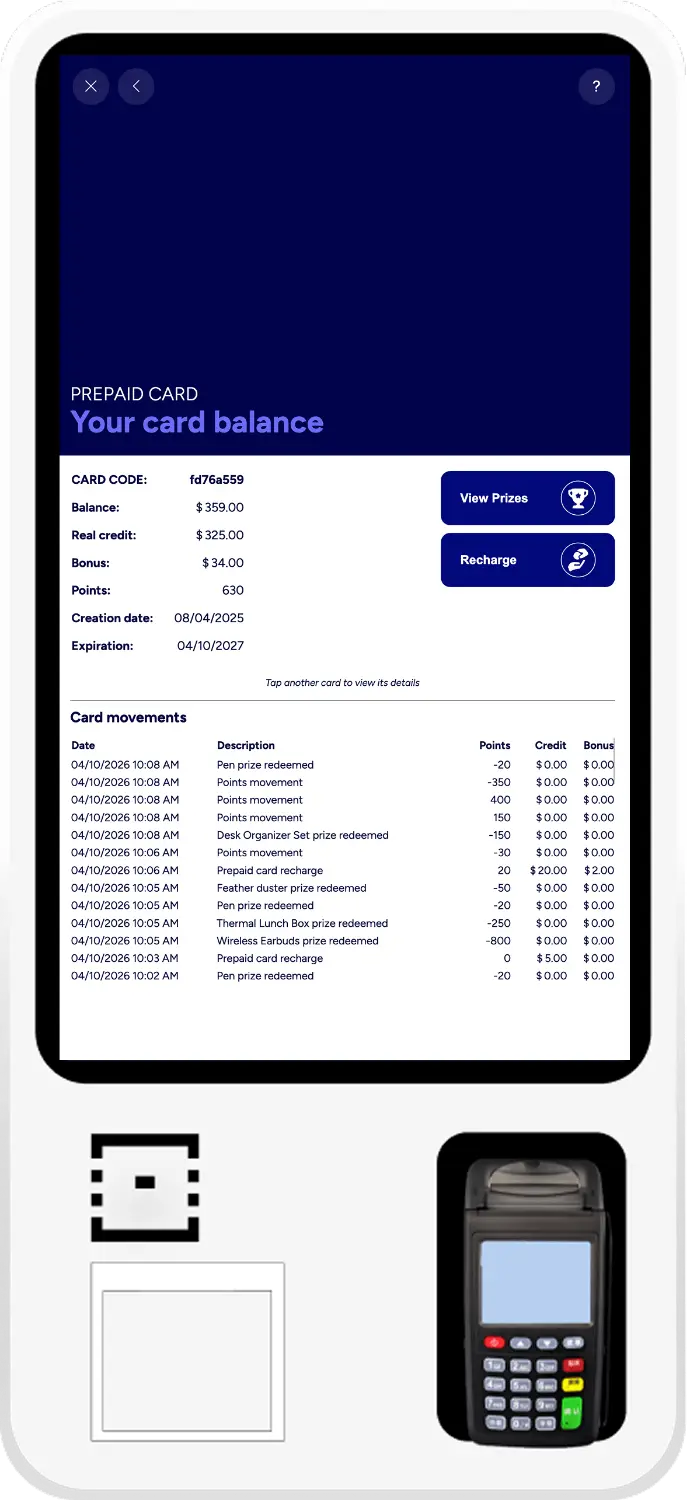
One tap, the full picture
Card on the NFC reader: balance, bonus, points, expiry and the full movement history, with recharge and prizes as the only two actions. Present another card and the screen switches straight to it.
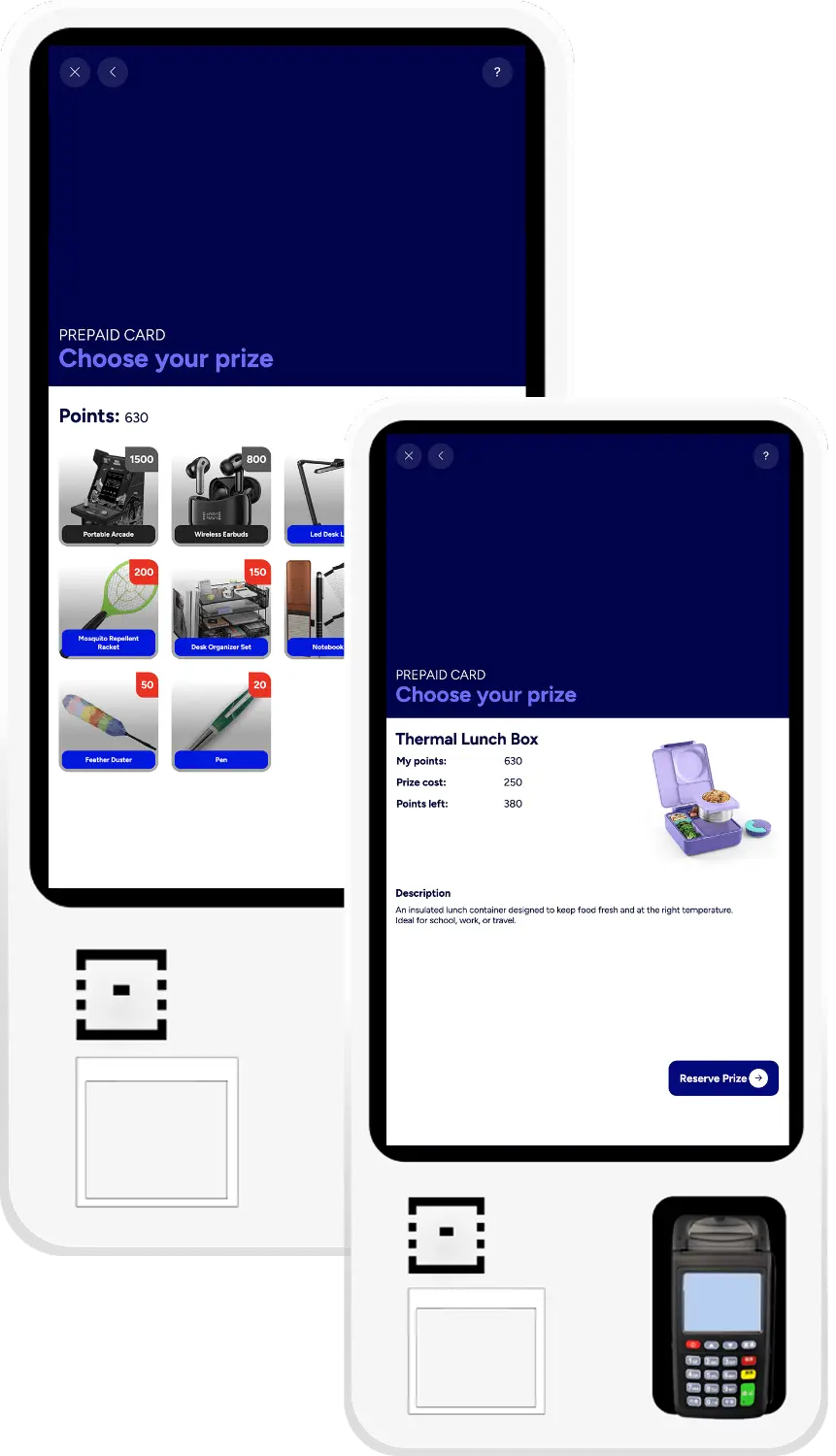
A prize catalogue guests actually use
A grid with image, name and points required, managed centrally. Anything out of stock or beyond the guest's points stays greyed out. They reserve at the kiosk and collect at the counter, where staff already have the reservation.
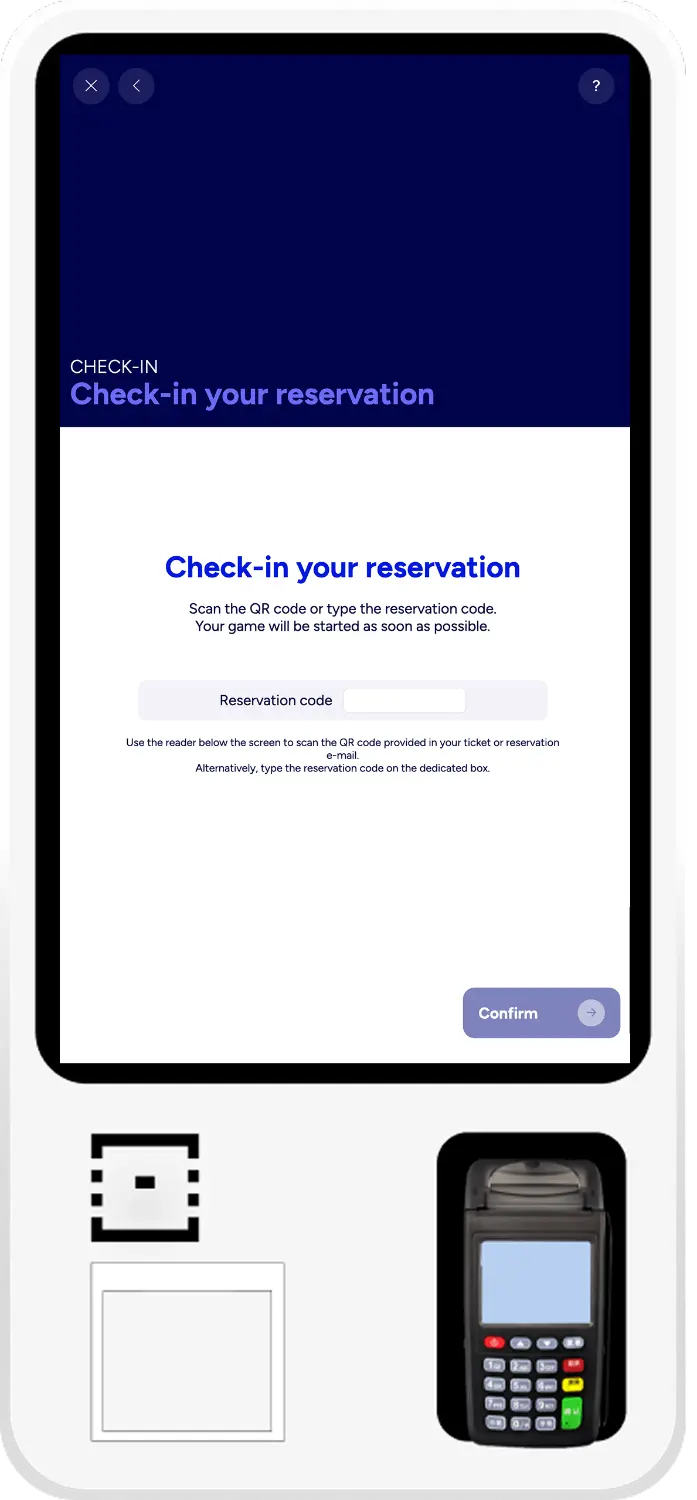
Reservation confirmed in a tap
The guest scans the QR from their confirmation or types the code. The reservation is validated and a lane assigned automatically. If the house is full they join a priority waiting list and start the moment a lane frees.
The kiosk
A second front desk that never takes a break.
Self-service payment
Closing the sale without a staff member present.
Self-service ordering
The kitchen rules, enforced by the interface.
The online booking engine
Your booking page, in your brand, on your terms.
The console is where guests meet Genie. Built to survive a lane end, it carries the scoring view, the lane menu, the intercom and the fingerprint reader, and every one of those functions is something you switch on or off from the front desk.
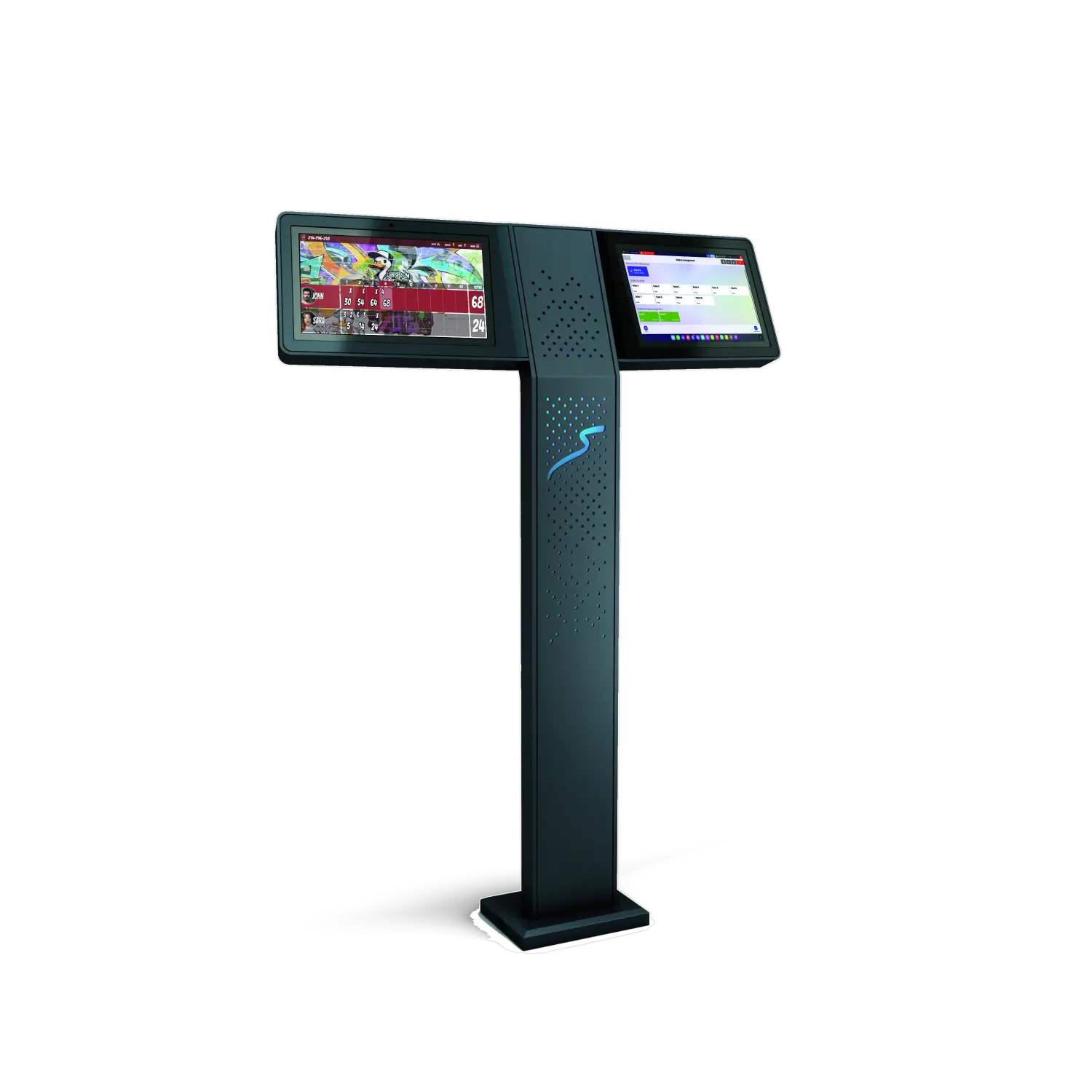
One stand, serving the pair of lanes beside it
A pedestal set between two lanes, with a screen facing each of them: the scoring view for the bowlers, a touch screen for the lane menu, the intercom to the desk and the fingerprint reader.
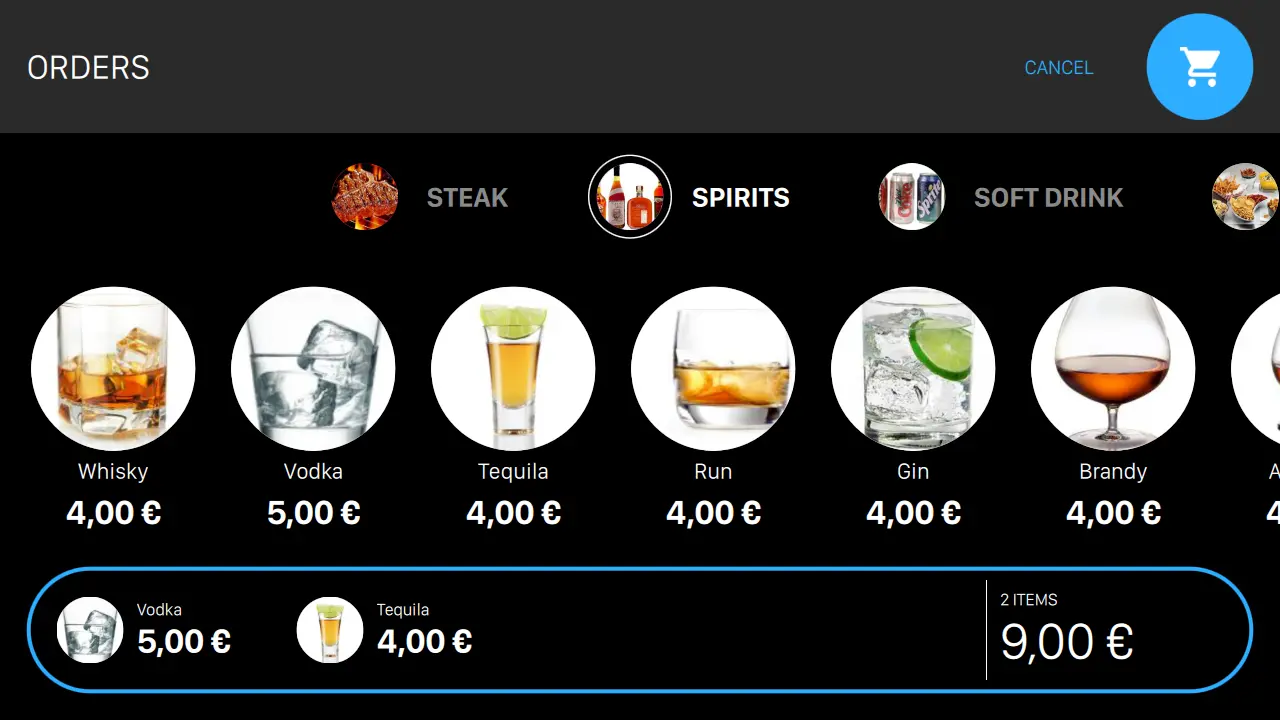
Food and drink chosen from the lane
The catalog you sell at the counter, on the screen at the lane end. The group builds the round, sends it, and the ticket prints where it is made.
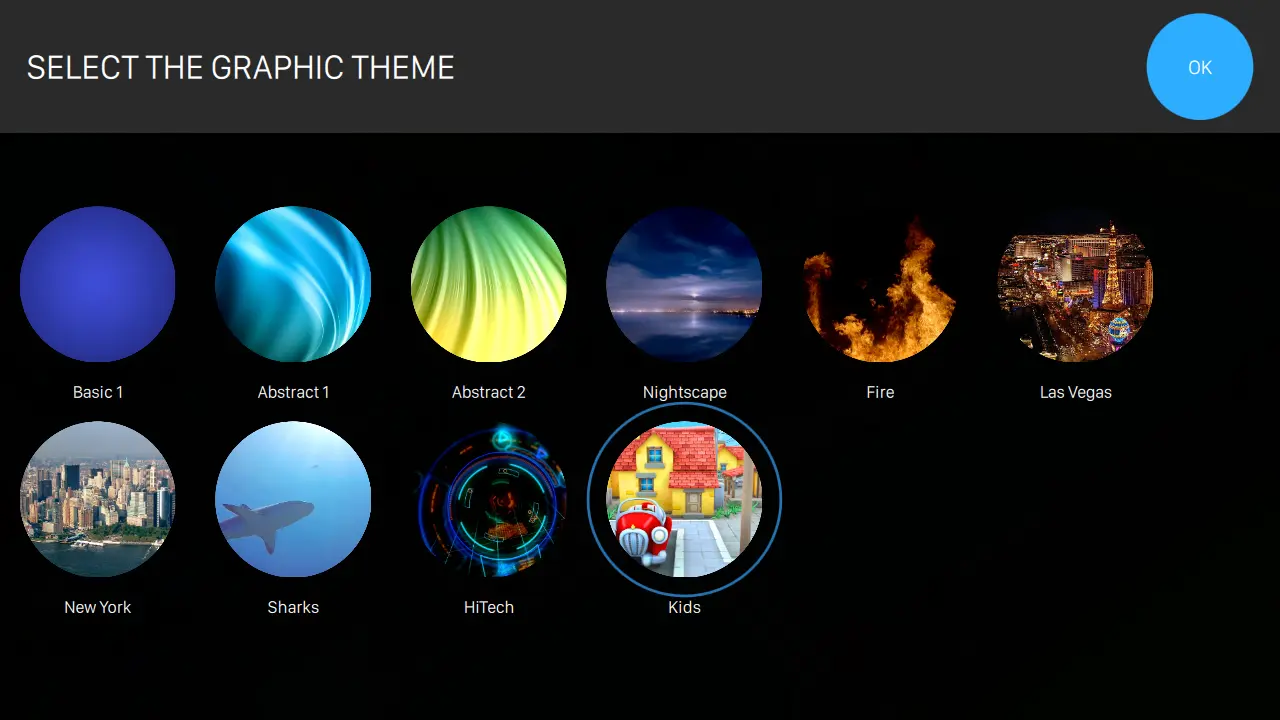
The group picks how the lane looks
Twenty-eight themes in seven colour variants, changed from the lane or locked to a house look from the front desk.
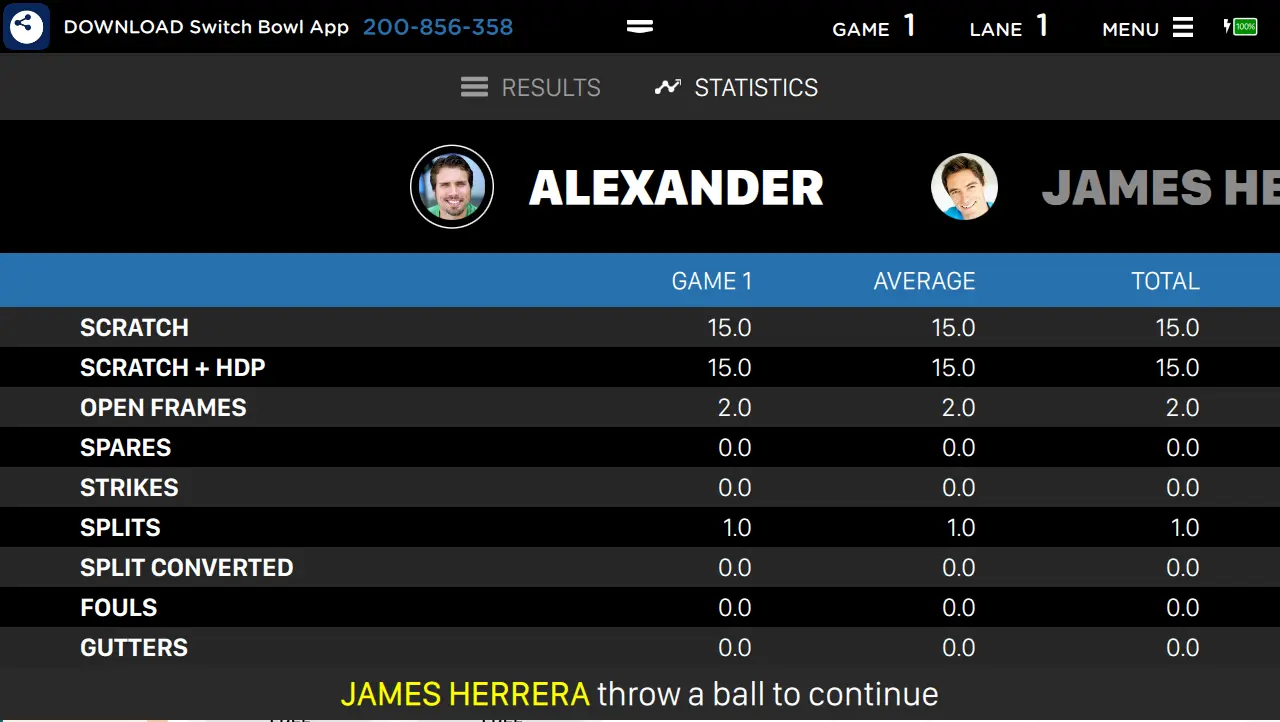
Strikes, spares and averages while they play
Opened from the STATISTICS tile on the lane menu: per-player figures for the session on the same screen as the score, so a group can compare without asking anyone at the desk.
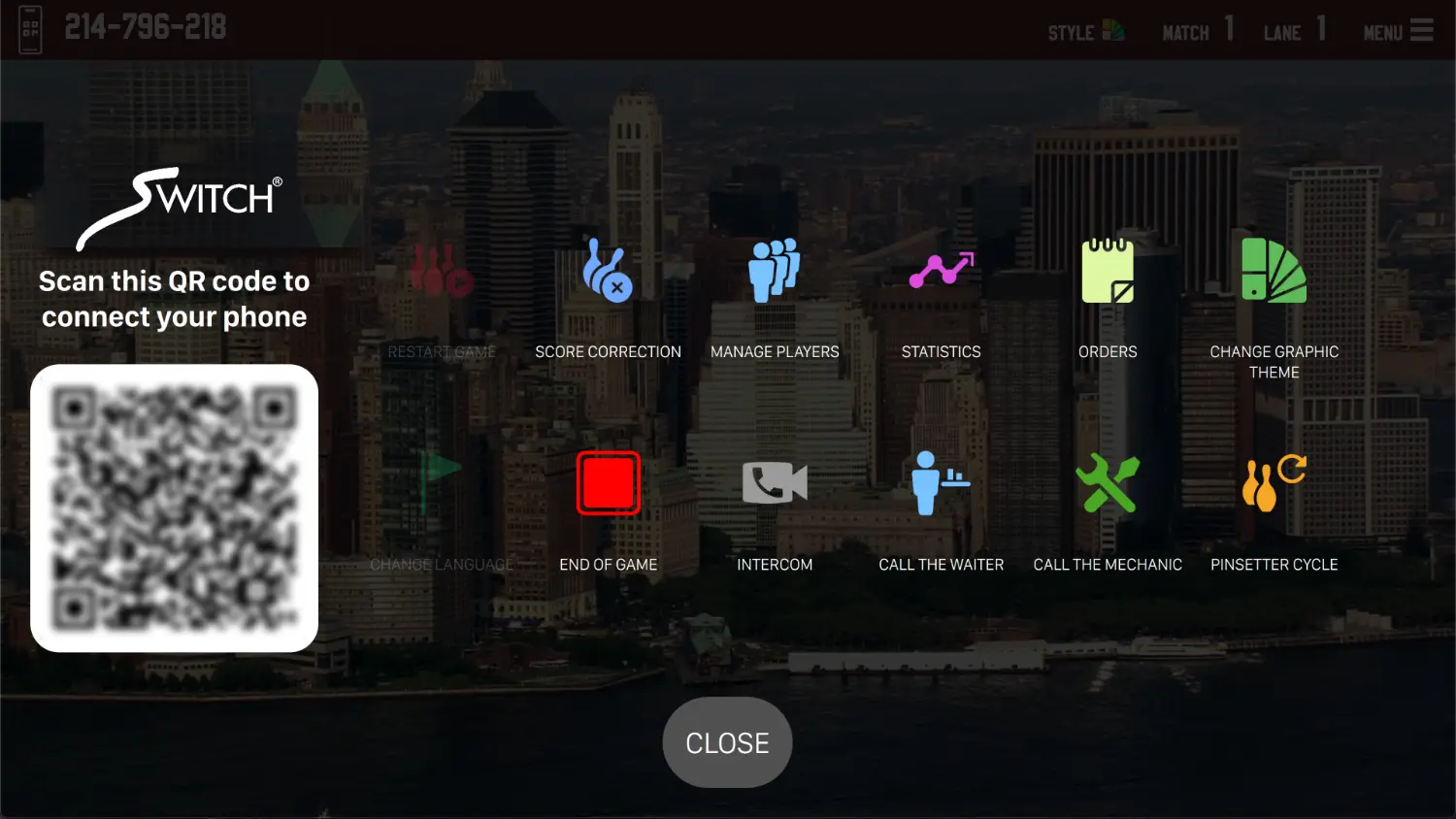
One screen the group can reach without staff
The menu a bowler sees at the lane, and the QR code that hands the session to their own phone. Every tile on it is switched on or off from the front desk.
The lane menu
What a group can do without finding a member of staff. Each item is enabled or disabled from the front desk.
Intercom and identity
The two things that keep the desk from becoming a queue.
The overhead monitor is the largest thing in your building that you control the content of. Genie treats it as such: themed animated graphics chosen per lane or by the guests themselves, avatars and photos with automatic moderation, tournament standings, a menu board, a reservation board, scrolling messages and composed slides.
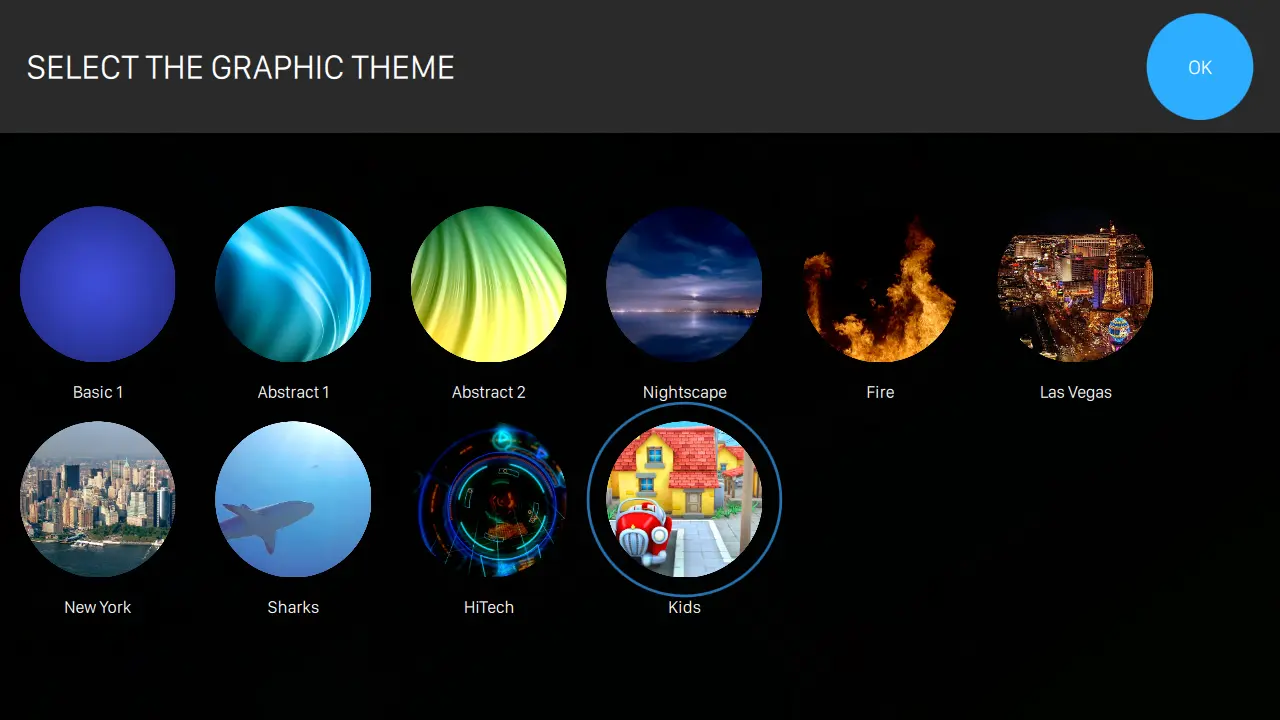
Picked at the desk, or by the group
The theme list opens on the lane display itself. Set a preference per lane, choose from the front desk, or let the guests pick from their own device.
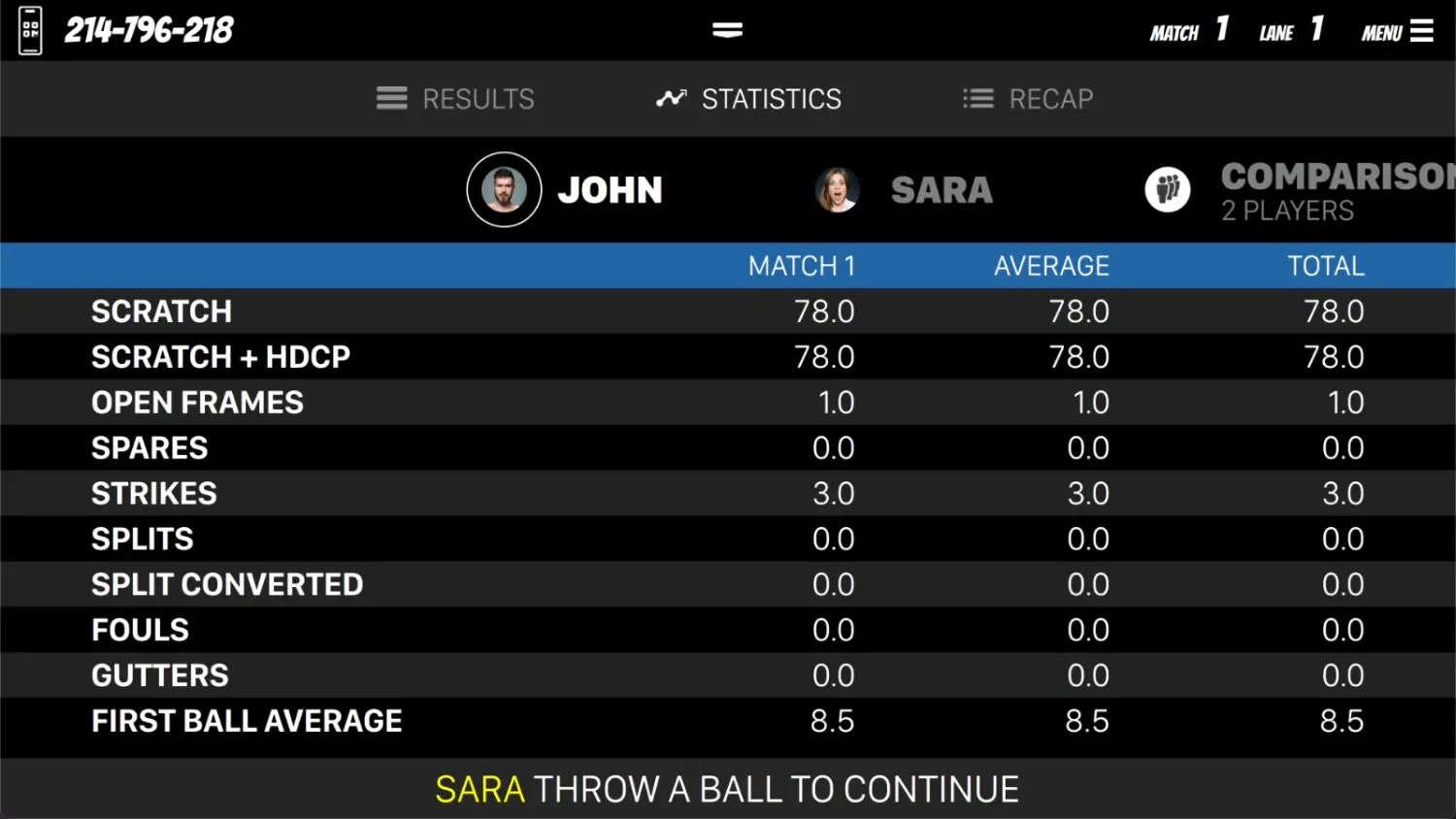
Statistics on the overhead screen
Strikes, spares, splits, fouls and first-ball averages per player, with the head-to-head comparison alongside, visible to the group without anyone asking the desk.
Every theme runs the same scoring layout, so a guest who has bowled once already knows how to read it.
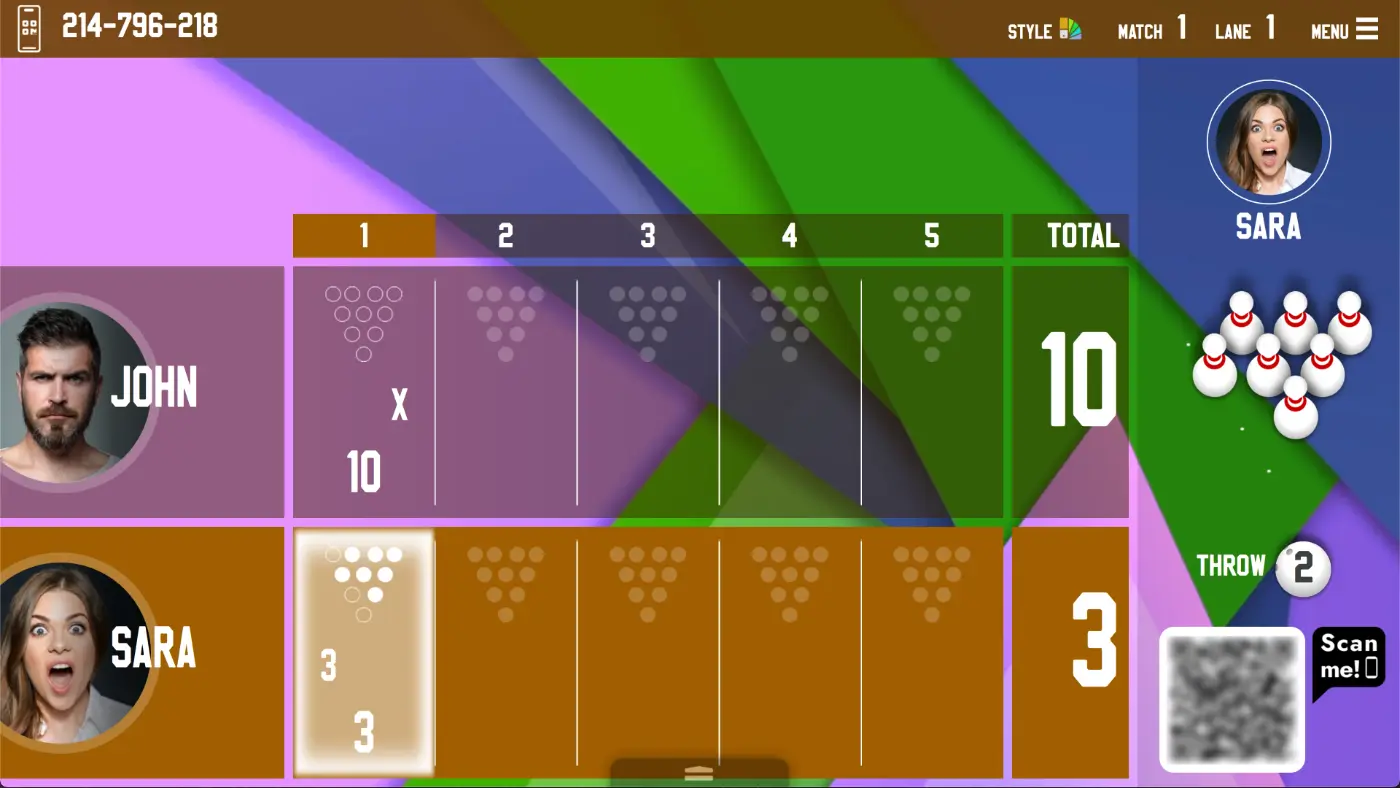
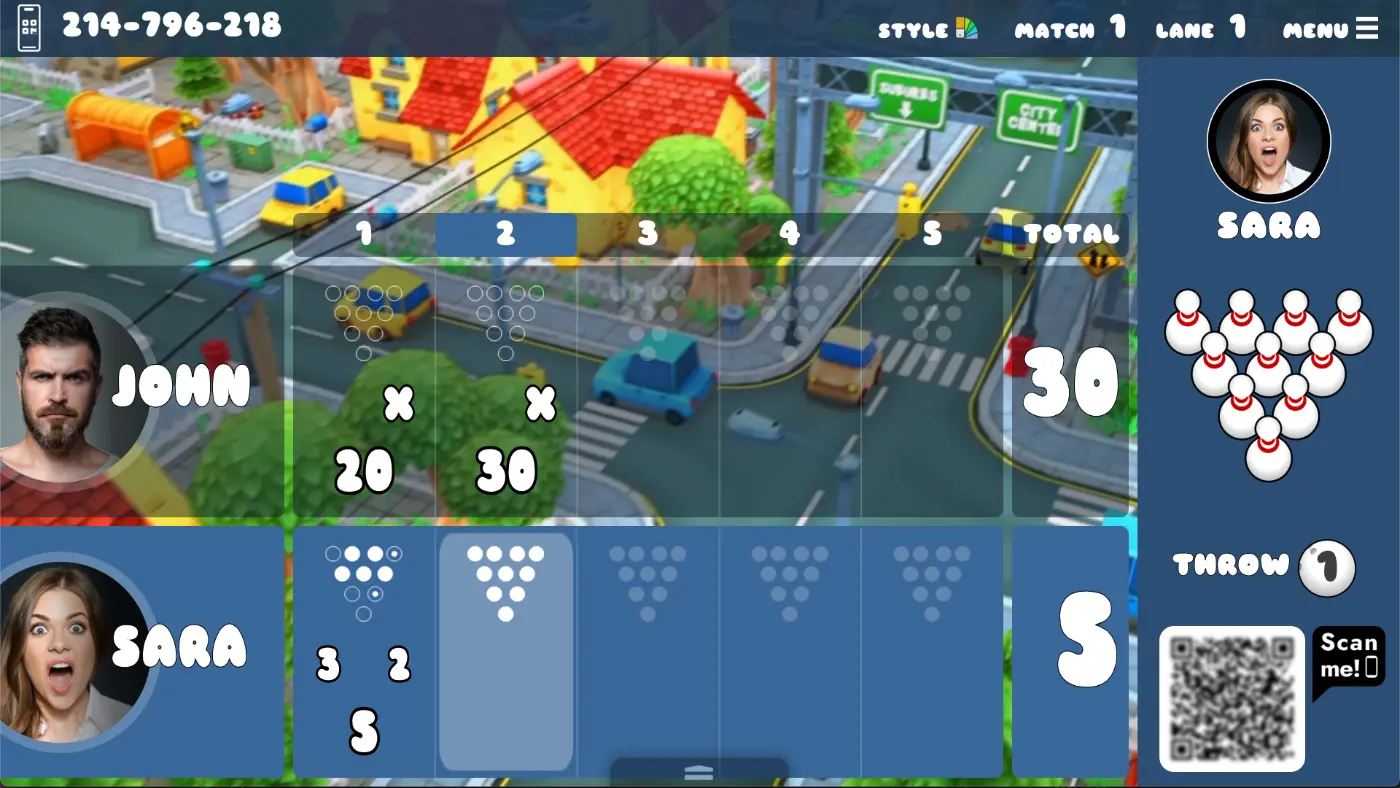
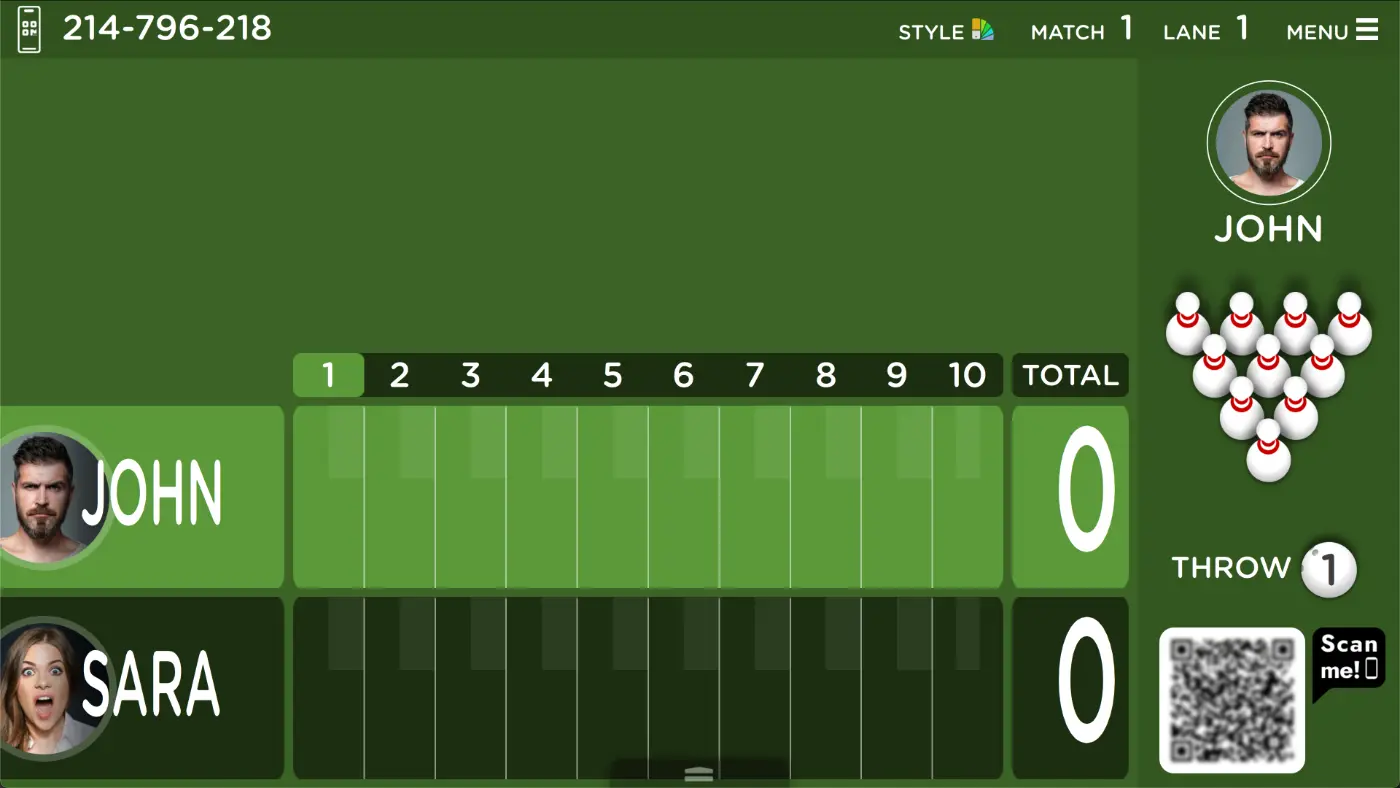
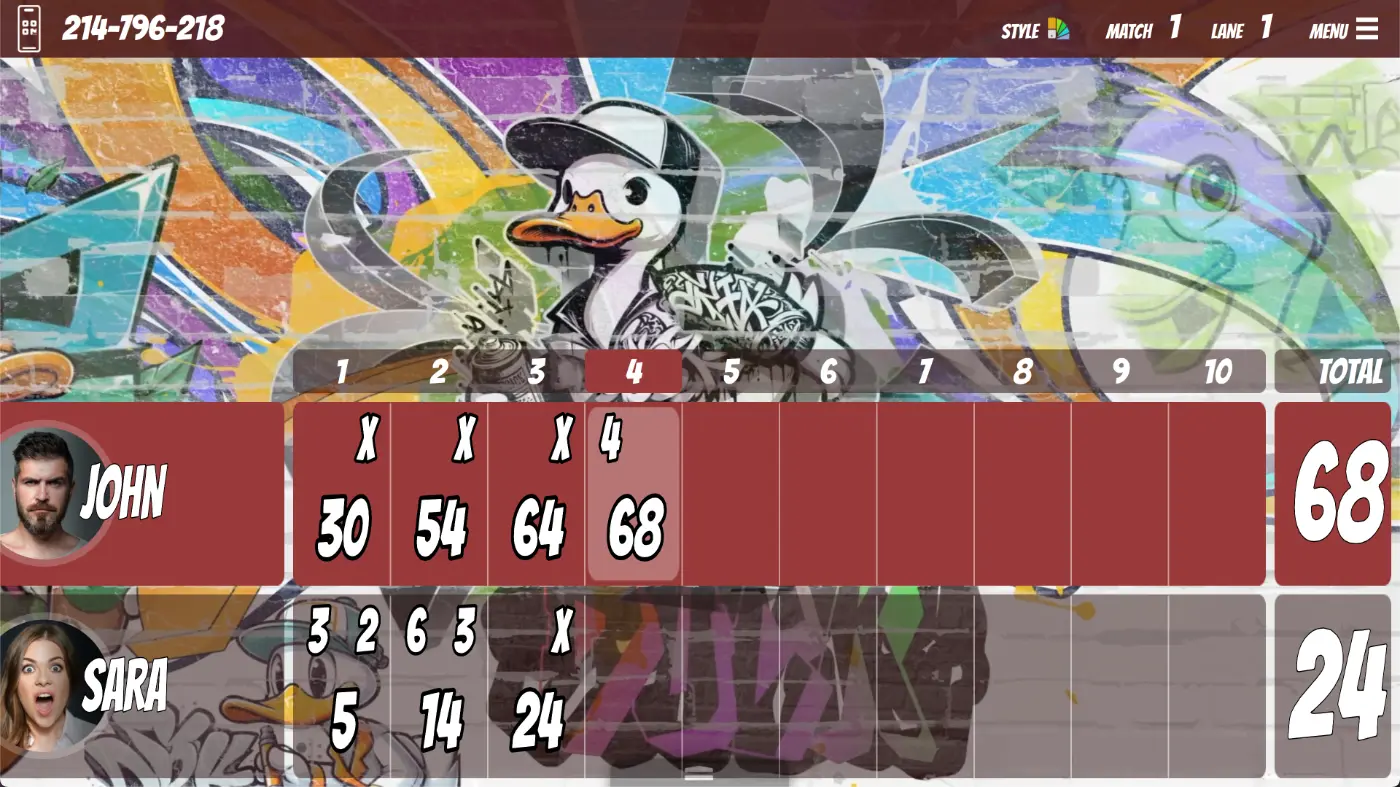
Themes
One built-in family plus installable animated packs, each in seven colour variants.
Avatars and photos
Players recognisable on the screen without a staff member typing anything.
The bowler's lane menu
What a guest can do from the console without leaving the lane.
On-screen communication
The screens as a channel, not just a scoreboard.
Animated video backgrounds, each available in seven colour variants.
Point games give you something to sell on a quiet weeknight. They run on the overhead displays you already have, are switched on per lane from the front desk, and turn into a themed night, a party package or a prize round rather than a discount.
Bowling Classic
The standard point-scoring game that ships with Genie, ready to run on any lane without an add-on.
Red Pin
A red pin appears in the formation. Land a strike on that round and the bonus points you configured are the player's.
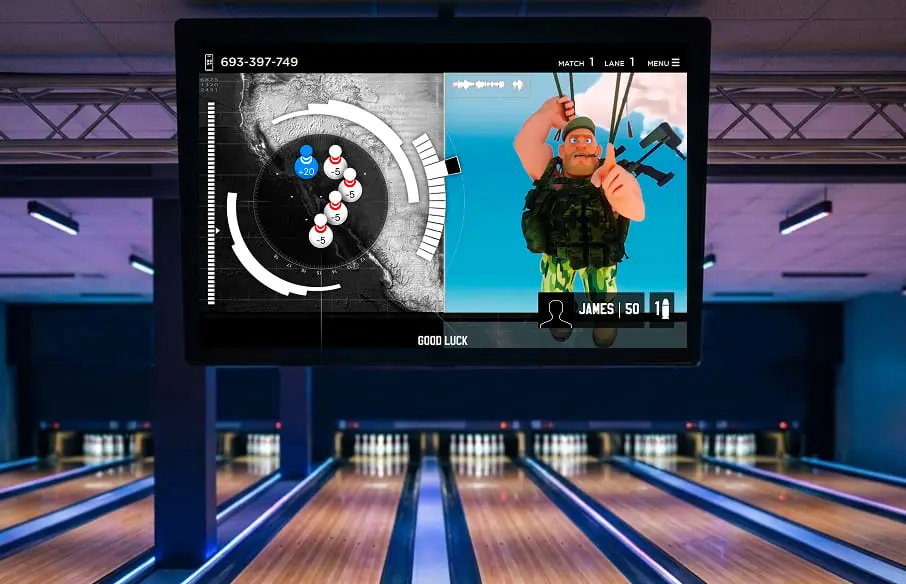
Sniper
The lane becomes an action set with cartoon villains, plus a level-map view so the group can see how far they have got.
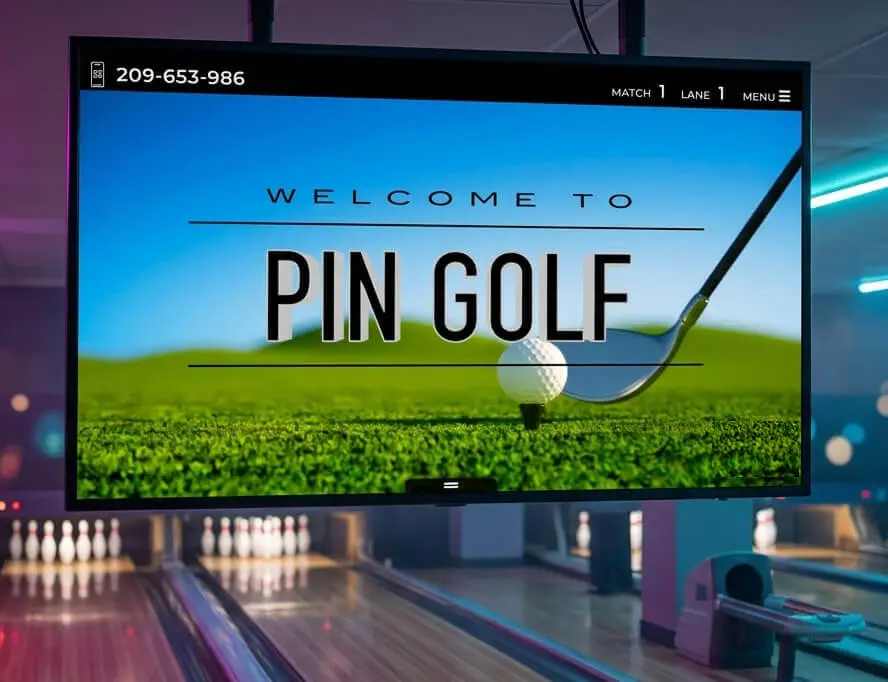
Pin Golf
Golf and bowling crossed over: the lane becomes a hole-by-hole course and the ball becomes the putter.
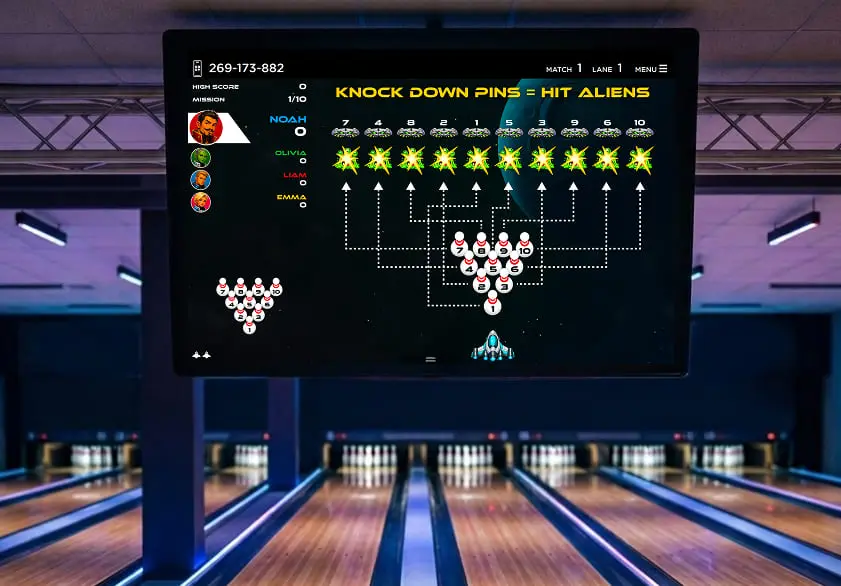
Space Defender
Players command a spaceship against waves of aliens. Knocked-down pins fire on the matching column.
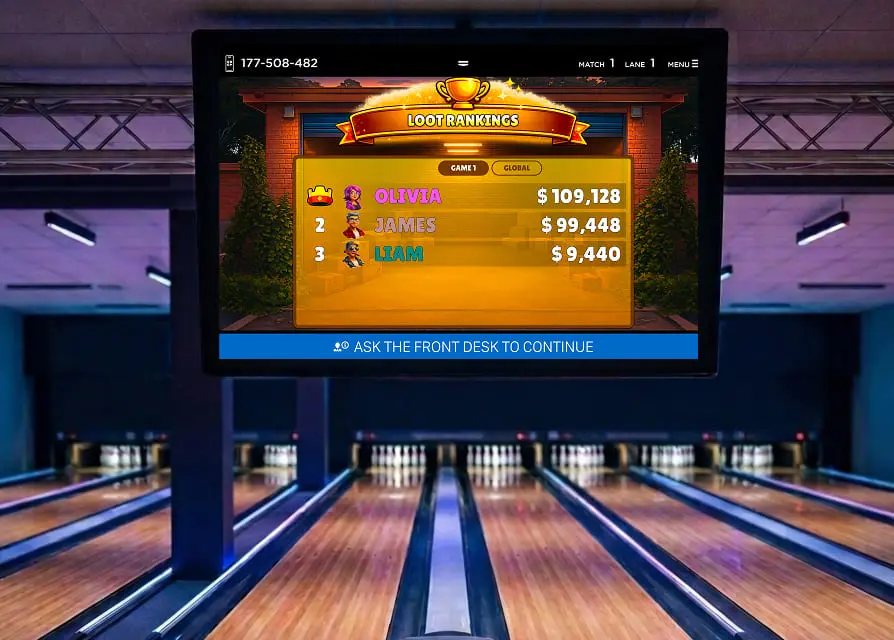
Pin Raiders
Ten garages line the lane, each hiding a prize. Two are visible each round, the third is a mystery box.
No app to download and no account to create: it opens in the browser and lasts for the session only. Guests edit players, correct scores, change the lane graphics, upload a photo, order from their seat, pay the bill and share the result, as far as you allow, because every option can be disabled from the front desk.
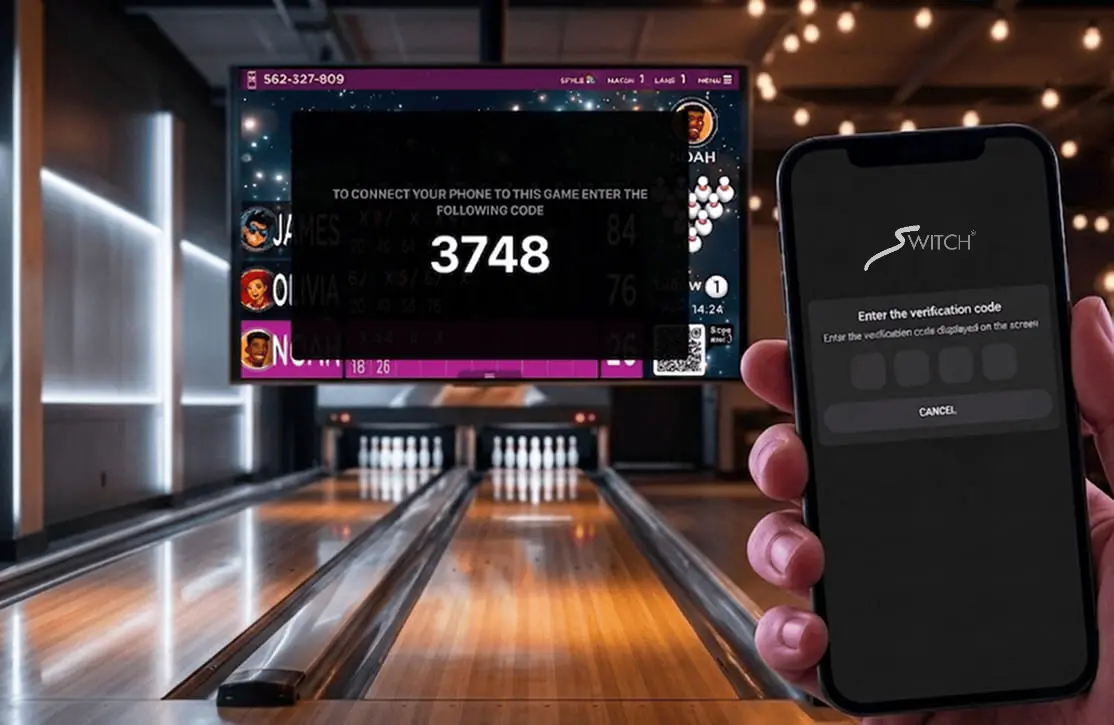
QR code, no account, no download
The guest scans the code on the scoring screen and confirms with the four-digit code on the monitor. The session lasts as long as their game and no longer.
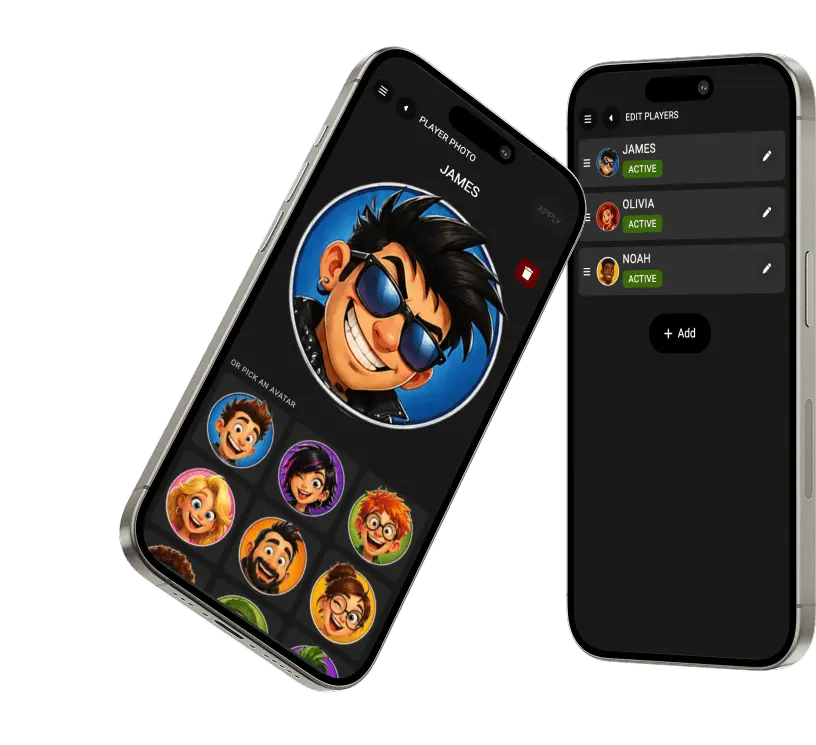
Players, scores and graphics
Add or rename players, correct a score frame by frame, set bumpers, no-tap or handicap, and change the lane's graphic theme, as far as you allow from the desk.
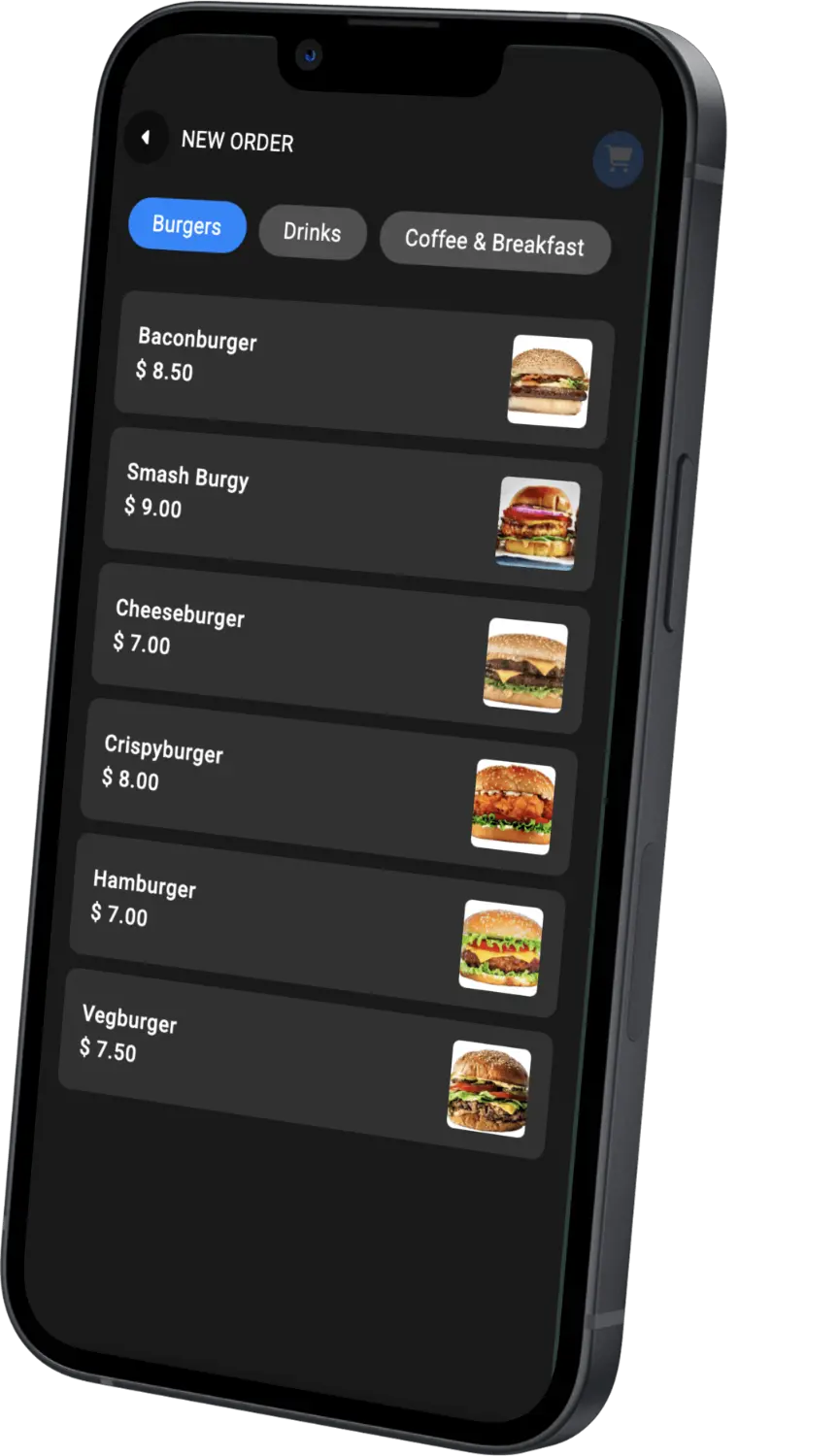
From the seat, without flagging anyone down
Food and beverage at the lane, the running bill, payment with a digital receipt and an optional service fee. Waiter and mechanic calls come from the same screen.
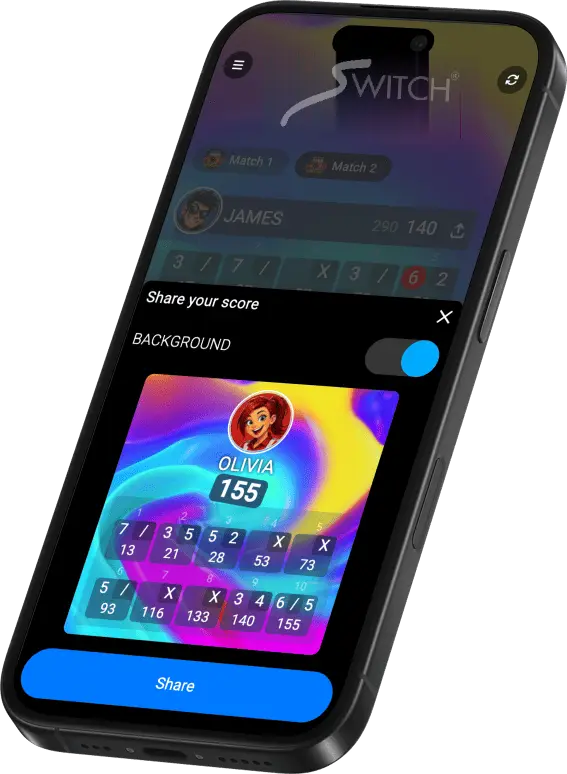
Live scores, stats and the leaderboard
Player statistics, the global leaderboard and a clean scorecard image to share on social networks, with photos and avatars moderated automatically before they reach the screen.
That matters most on a retrofit. If your pinsetters are sound, the scoring system is the part worth replacing. Scoring is calibrated to your deck, the machines are driven and diagnosed from the same software, and the peripherals your counter already uses are supported.
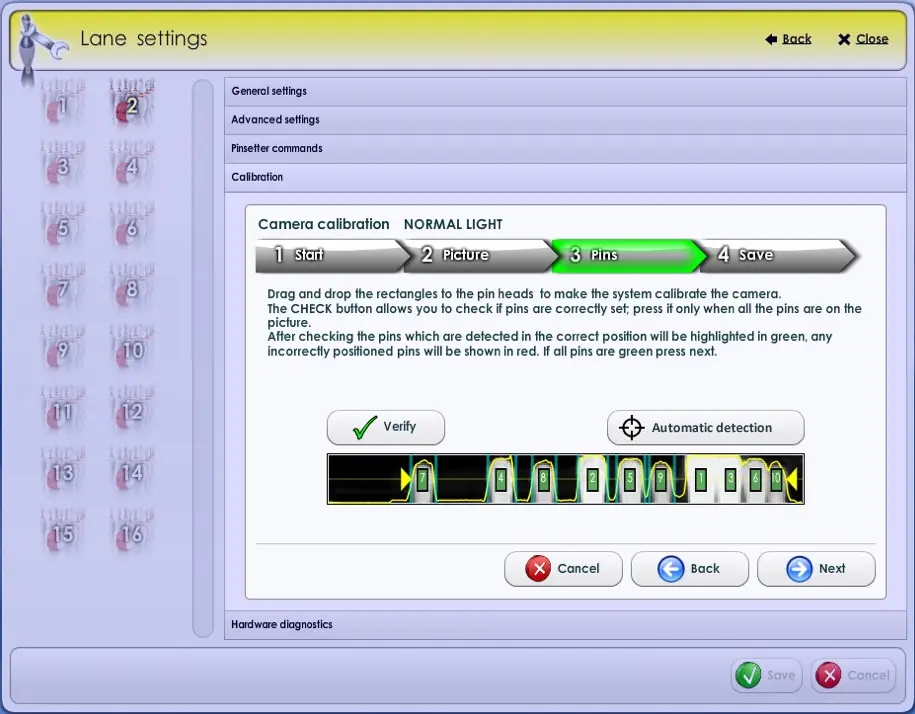
Calibrated against your own pin deck
Detection setup runs as a guided sequence during installation: mark the pin heads, verify what the system reads, correct anything shown in red. The same tool is used whenever a lane goes back into service.
Machines and lanes
What Genie drives, and how it tells you something is wrong.
Devices and peripherals
Everything at the counter and in the back office, managed centrally.
A scoring system that cannot talk to your card operator or your restaurant POS creates a second set of books. Genie interfaces directly with the platforms below, so a cashless card, a restaurant order and a bowling session settle into one ledger.
Card present and card not present, including terminal integration.
Arcade and family entertainment centre card platforms.
Restaurant POS, scoring publication and regional platforms.
Bowling Realtime is the part worth knowing about if you have ambitions for your building. External clients authenticate, subscribe to the lanes they care about, and receive every throw and lane state change as it happens, which is how you drive LED displays, digital signage or your own application off the live game. Alongside it run the cloud services that need no attention from anyone on site: encrypted backup, dated restore points and software updates delivered over the air.

The database, encrypted and off site
Encrypted backup runs in the background by default, so the record of every session, member and transaction sits somewhere other than the machine at your front desk.
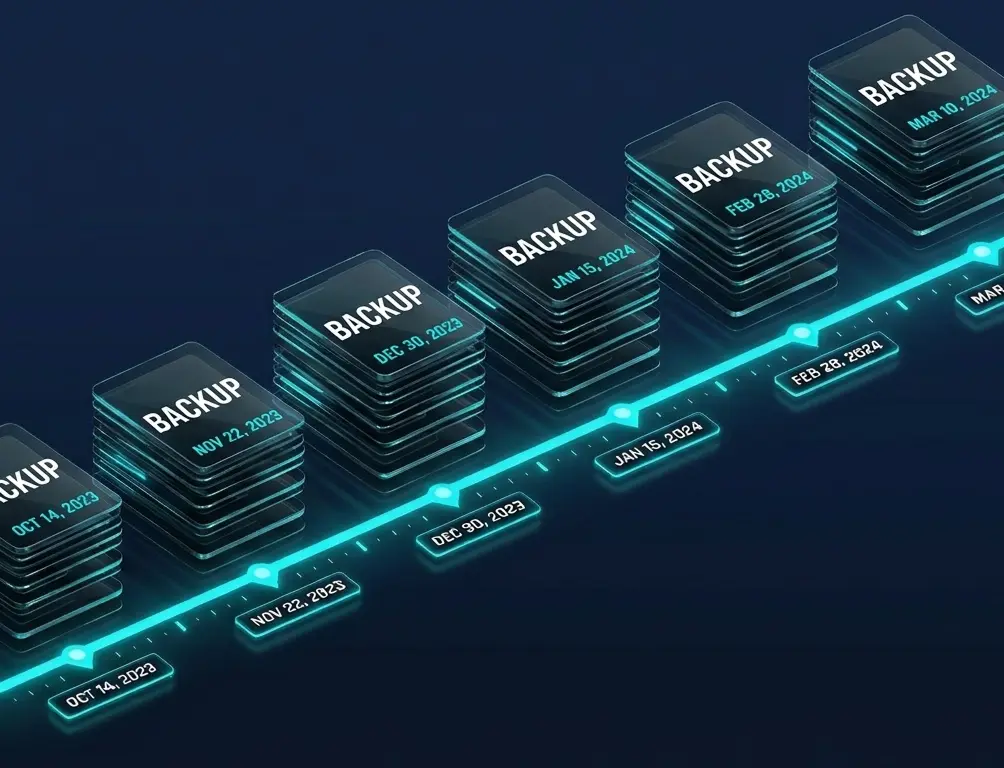
A history you can go back through
Backups are kept as dated restore points. After a hardware failure, theft, fire or a mistaken deletion, the database is restored to the last good state rather than rebuilt from paper.
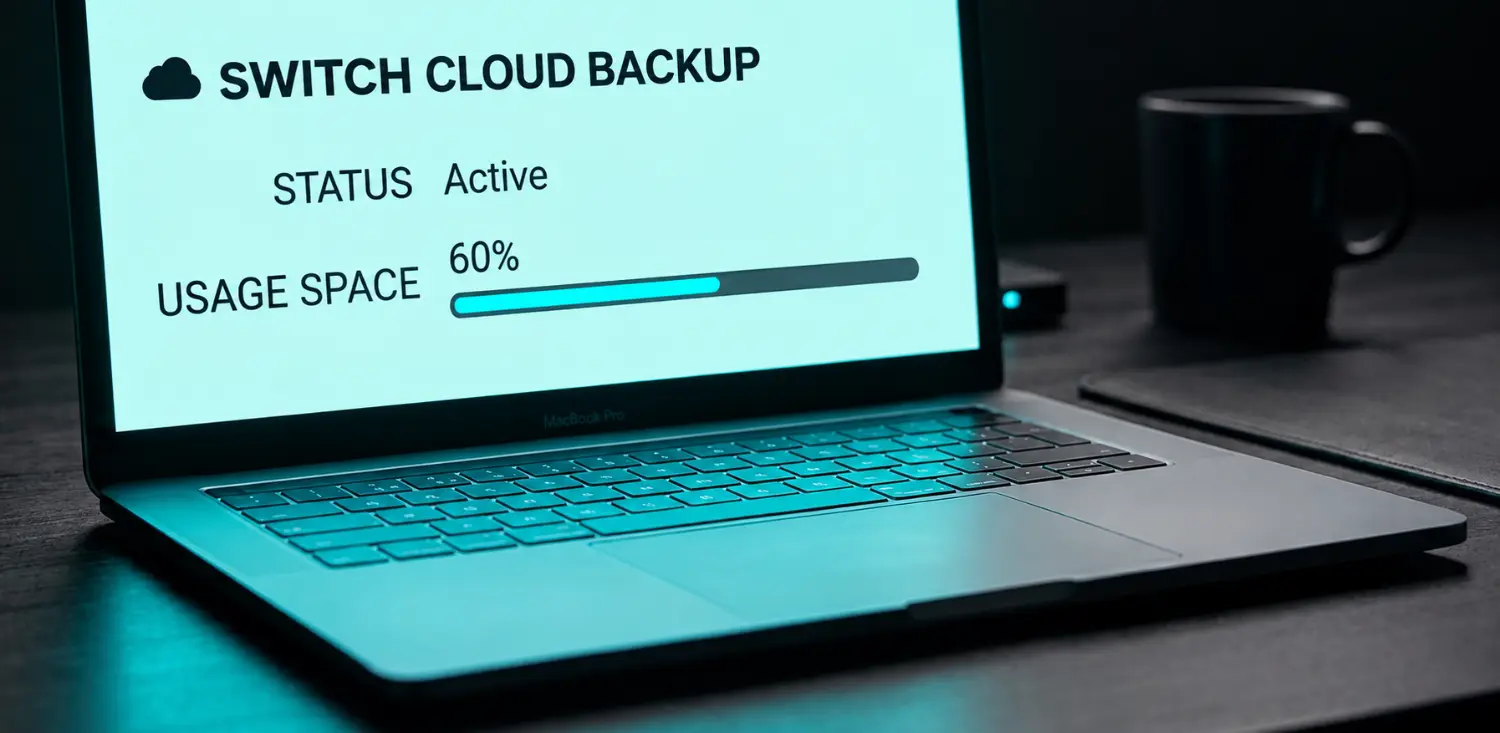
Status and storage, in plain sight
Backup state and space used are visible without asking anyone. If something stops running, you find out before you need the backup.
Interfaces
Two ways in, for two different kinds of integration.
Cloud services
The things that should happen whether or not anyone remembers them.
An optional module that gives you the front desk wherever you are: lanes, sessions, reservations, lockers, devices, receipts, reports and every configuration panel. Two-factor sign-in, encrypted remote access and the same per-user permissions your staff already have. Nothing to install, because it runs in the browser.
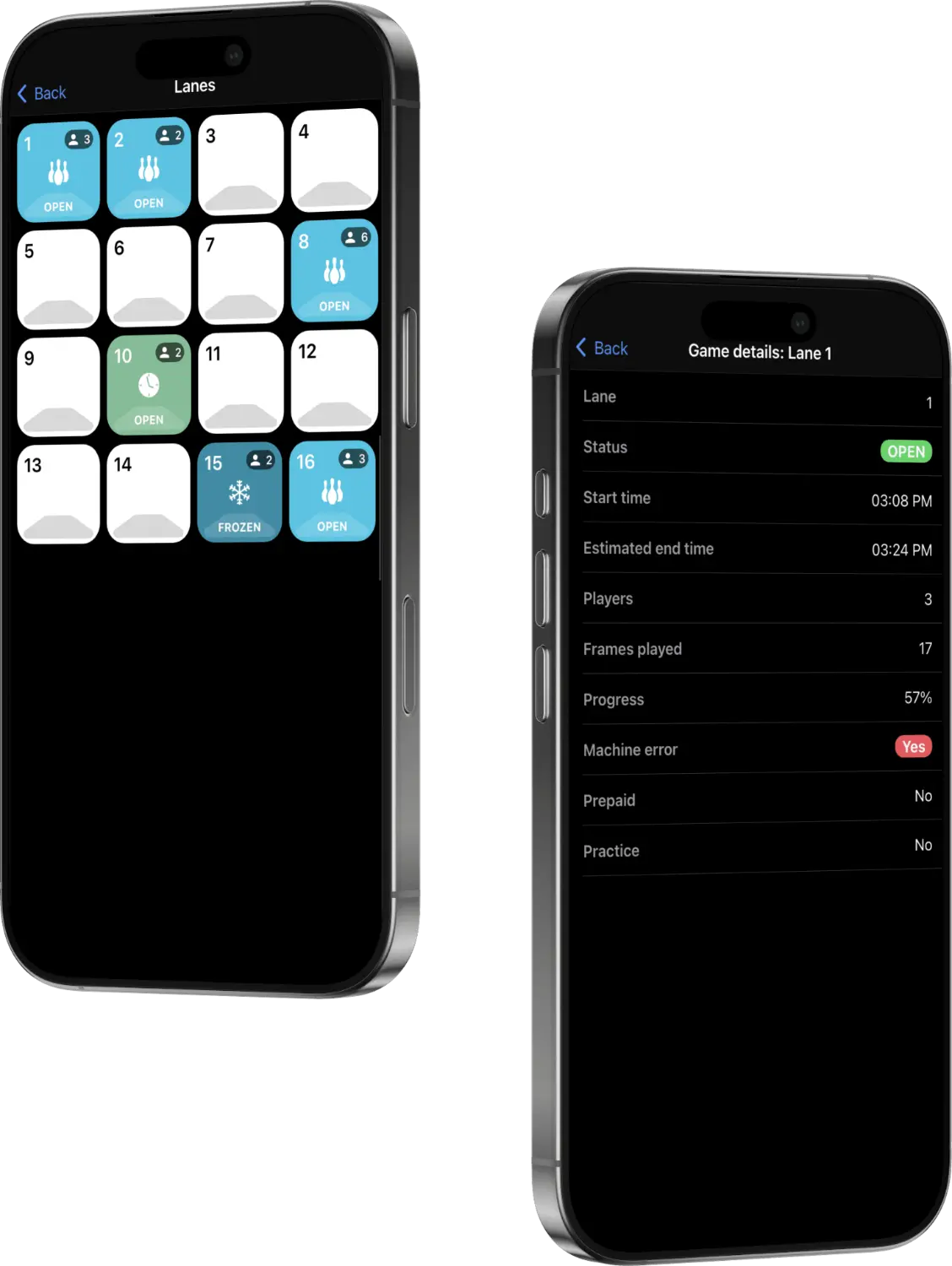
Everything under control, live
Lanes, game sessions, reservations, lockers and devices in real time from anywhere, on the same permissions your staff already have at the front desk.
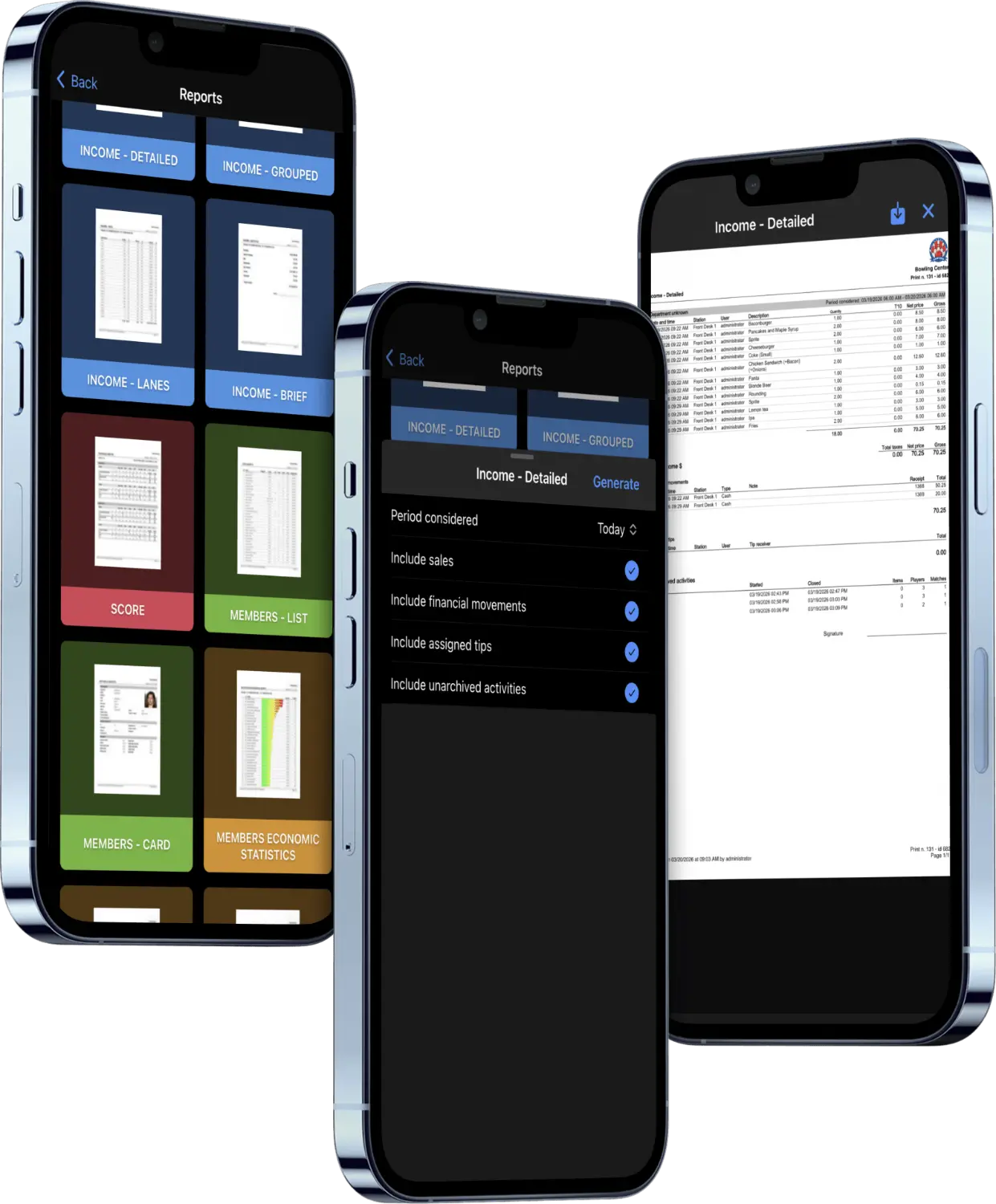
The full library on a phone
Filter, chart and export any report over the whole filtered set, or print the PDF layout, identical to the one generated at the desk.
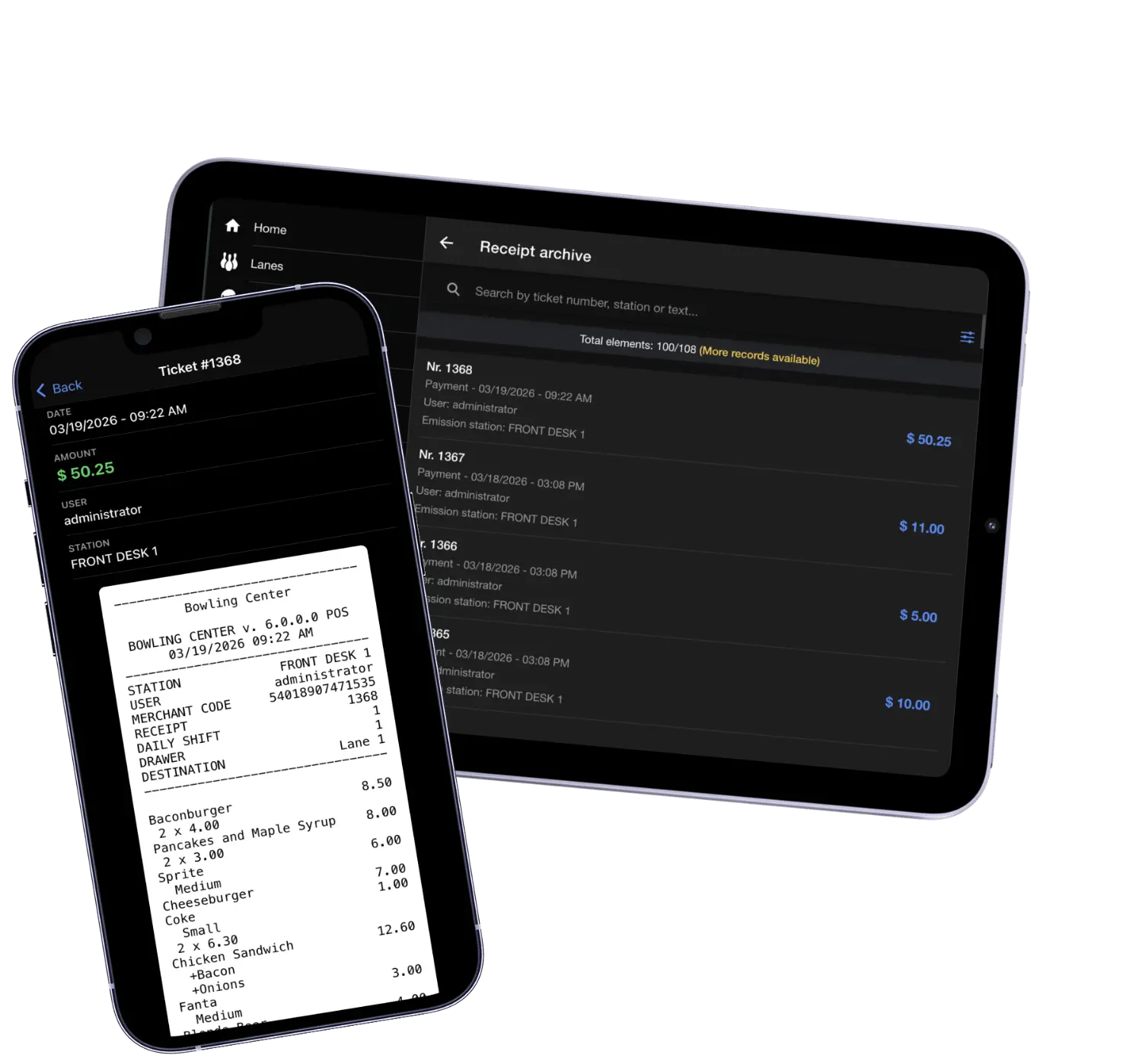
Receipts, refunds and tips
The fiscal archive searchable by number, station or tab. Refund in full or part, attribute a tip to a named employee, or email a receipt to a customer.
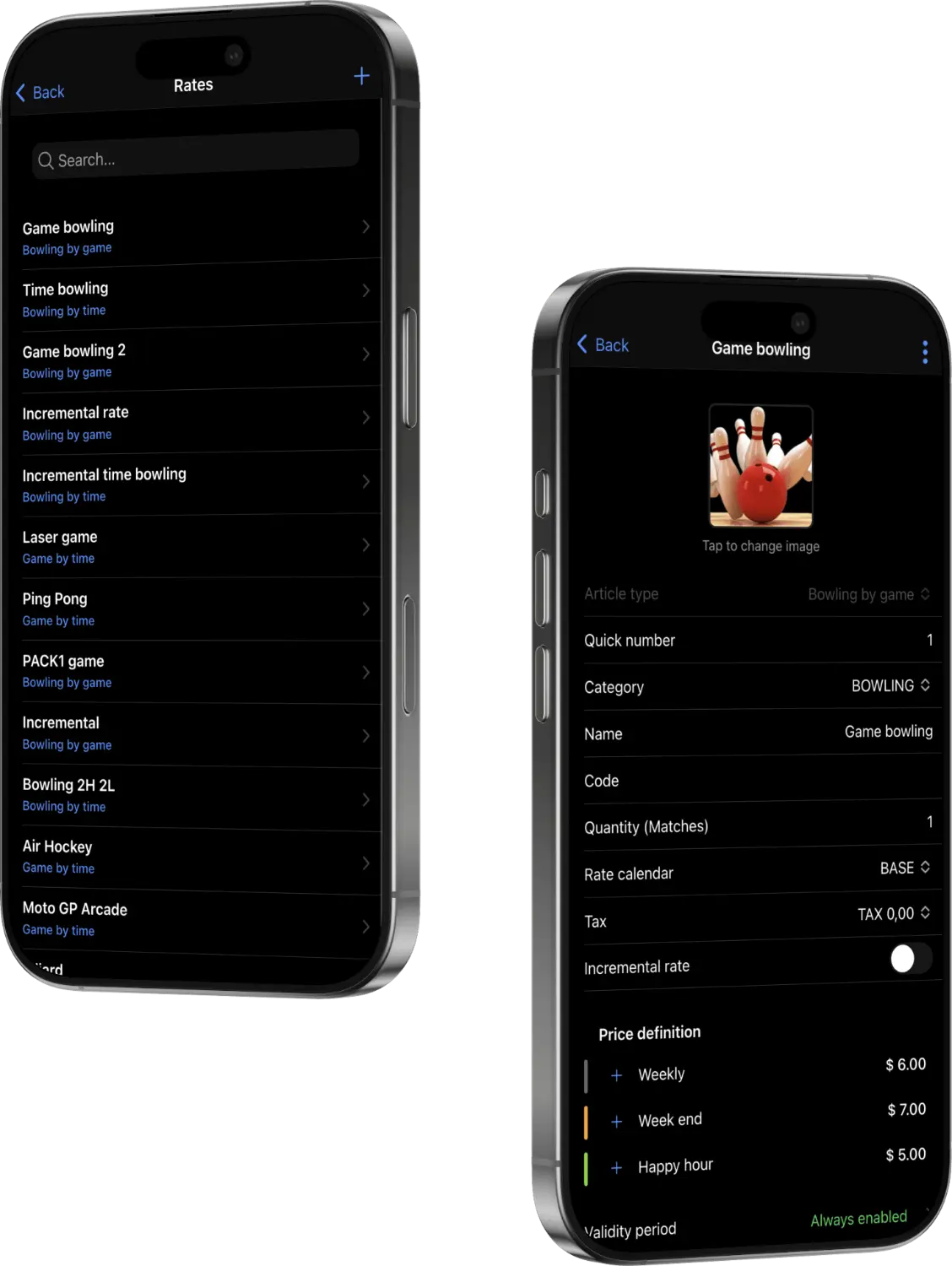
Change a rate, live everywhere
Rates by shift and day of week, incremental tiers, validity windows for promotions. Active at the till, the kiosk, the Web Console and the lane the moment you save.
What you can see and do
Not a summary screen. The working front desk, remotely.
TableTap is the mobile ordering app for your own staff: full catalog with options, destinations for table, lane or pickup, open orders and history. Behind it sits the administration layer: 235 individual permissions, two-factor authentication, an employee time clock and scheduled operations that run themselves overnight.
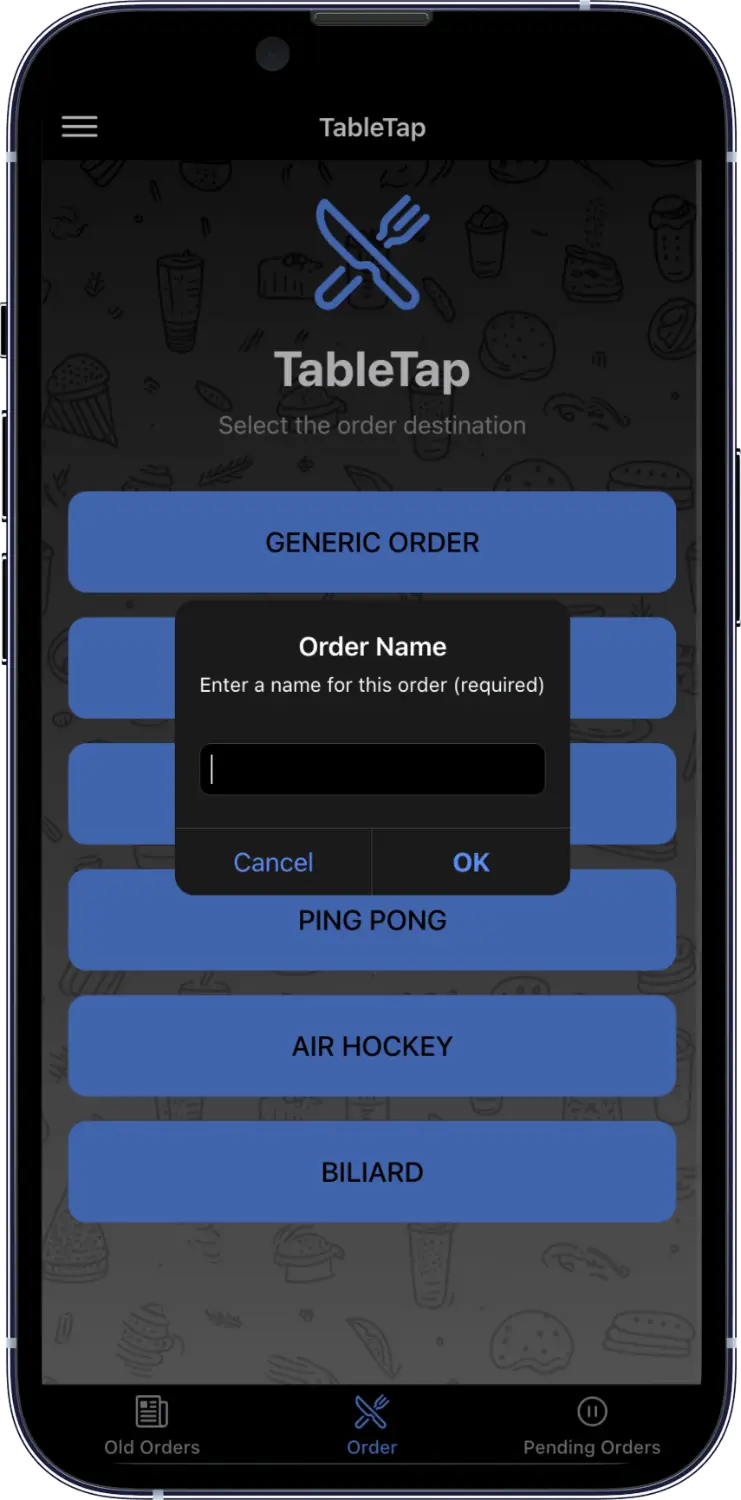
Orders straight into the waiters' hands
A web app for floor service that runs on the centre's own local network, with no dependency on the internet and nothing to install from an app store. It opens in the browser on a phone the staff already carry.
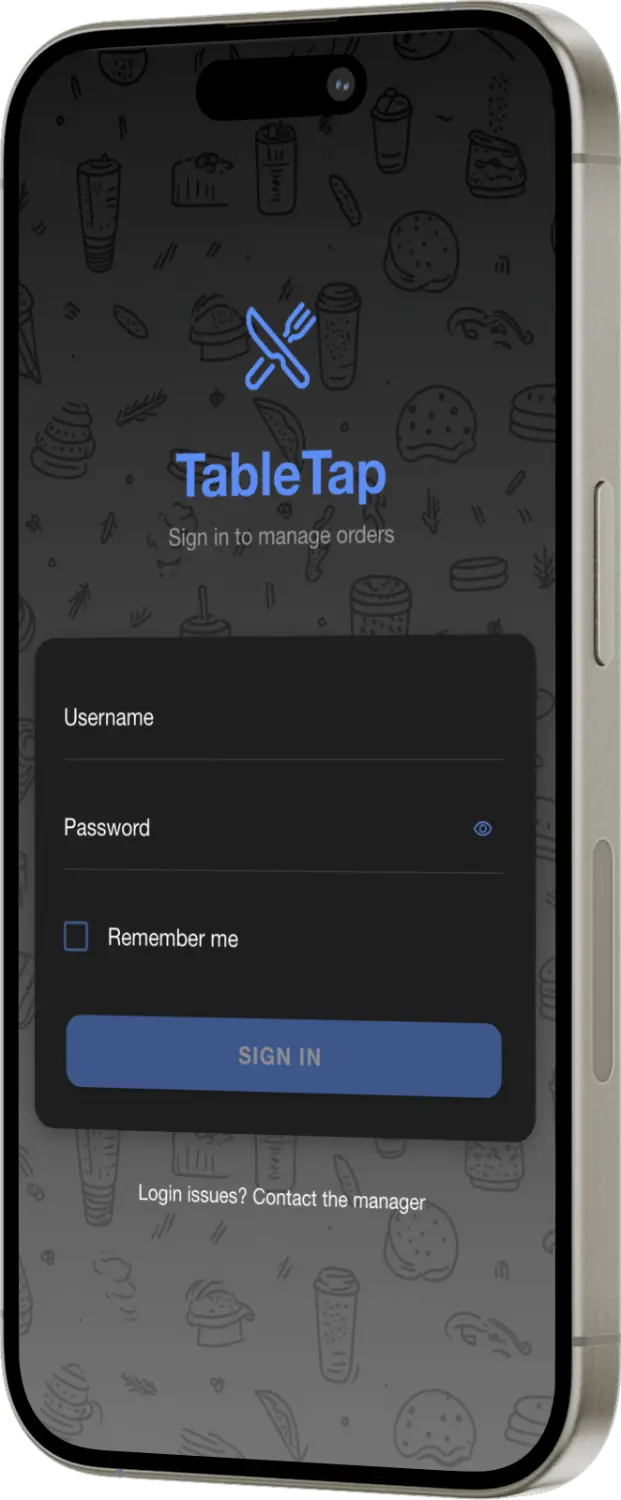
Every order tied to the person who took it
Each member of staff signs in with their own credentials, so every order, edit and send stays attributed. Tips, corrections and performance are tracked at source and the numbers are clear at the end of the shift.
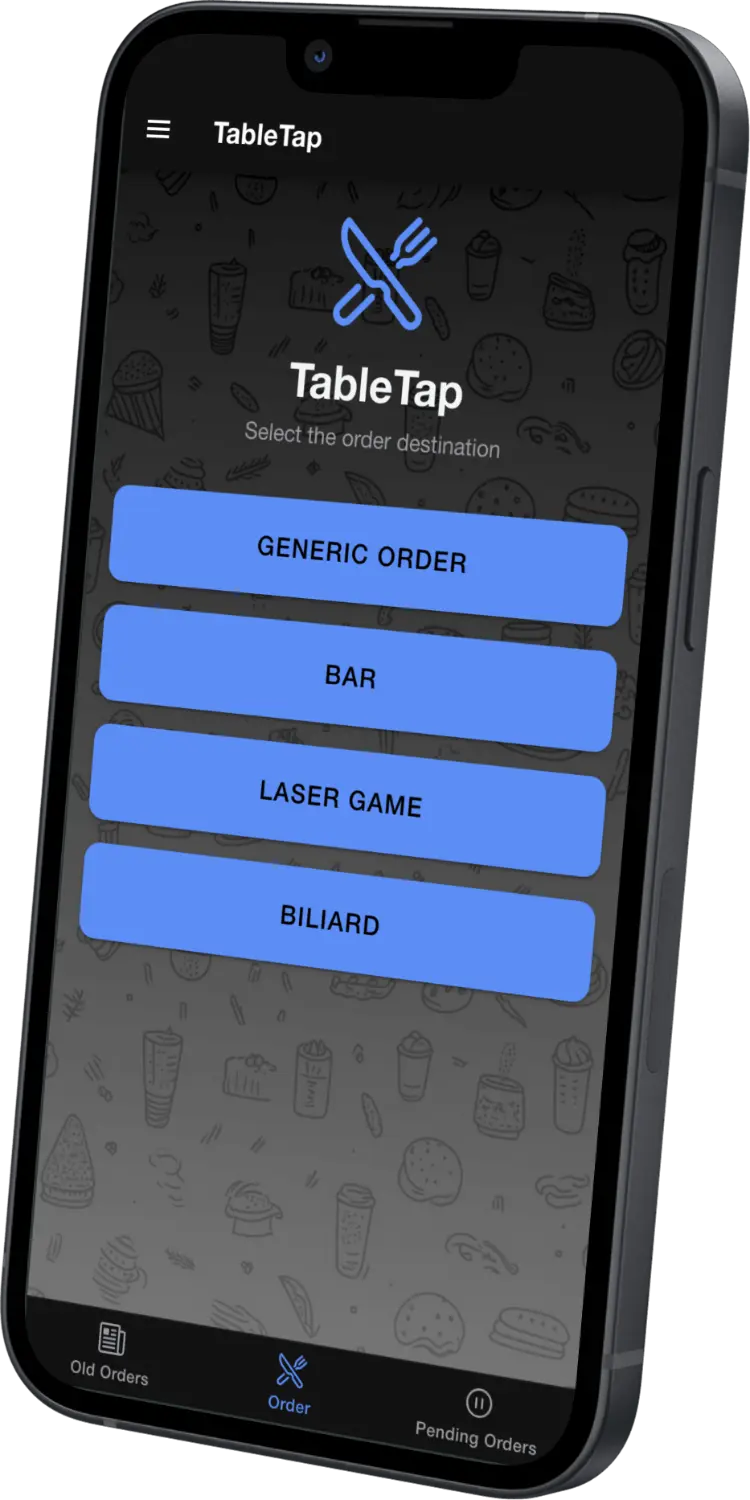
Every spot you serve, one tap away
Bar, lanes, lounge, party room: every destination in the centre is on the home screen, ready to take an order at any moment.
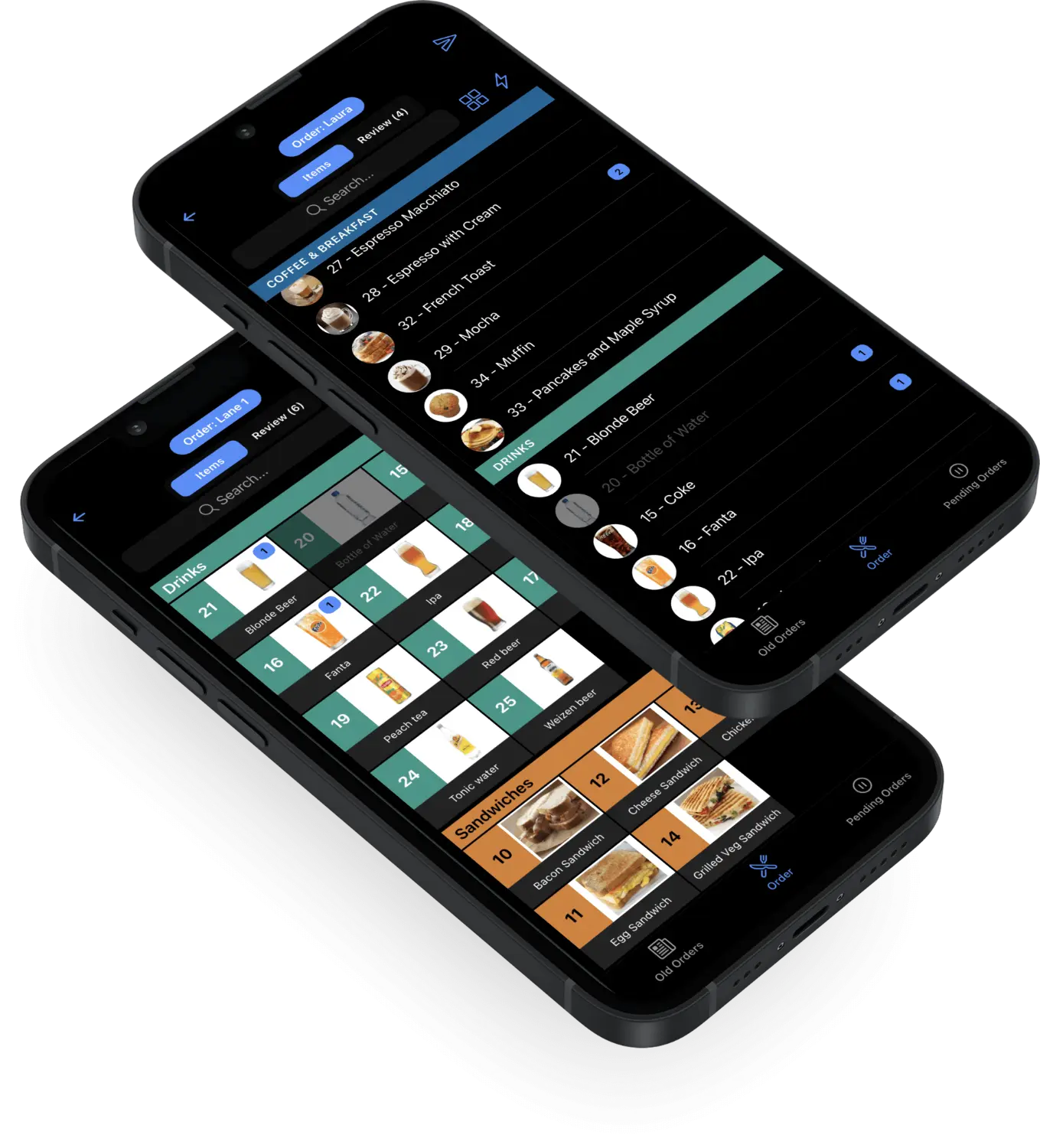
The whole menu, always in hand
Even with hundreds of items, everything is one tap away: nothing to memorise and no walk back to the counter to check whether a dish is available or what is in it. As the order grows it stays clear at a glance what has already been added.
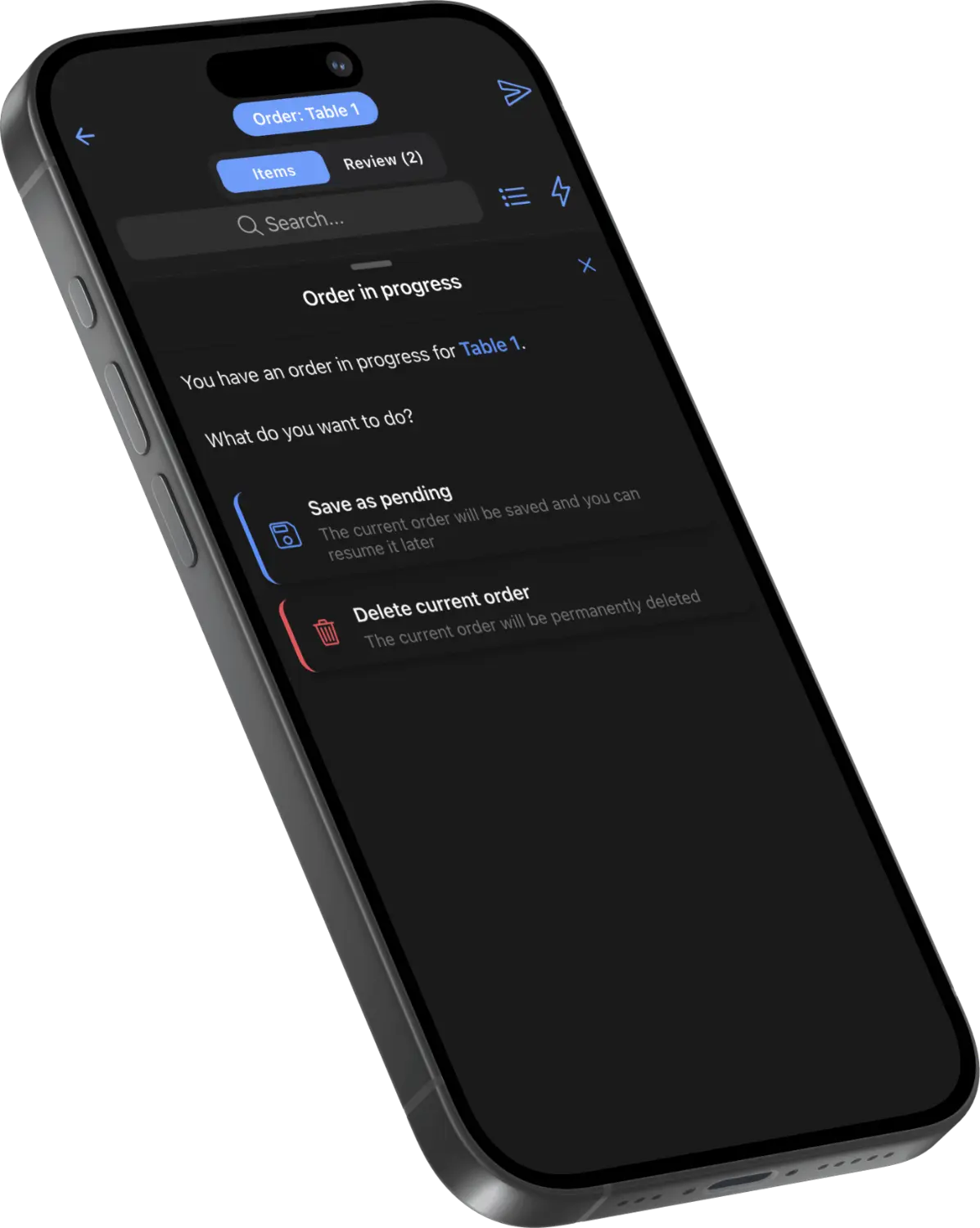
No order ever gets lost
Pulled to another table mid-order? Save it as pending and come back to it, or discard it if it is no longer needed. Nothing falls through, and nothing reaches the kitchen by mistake.
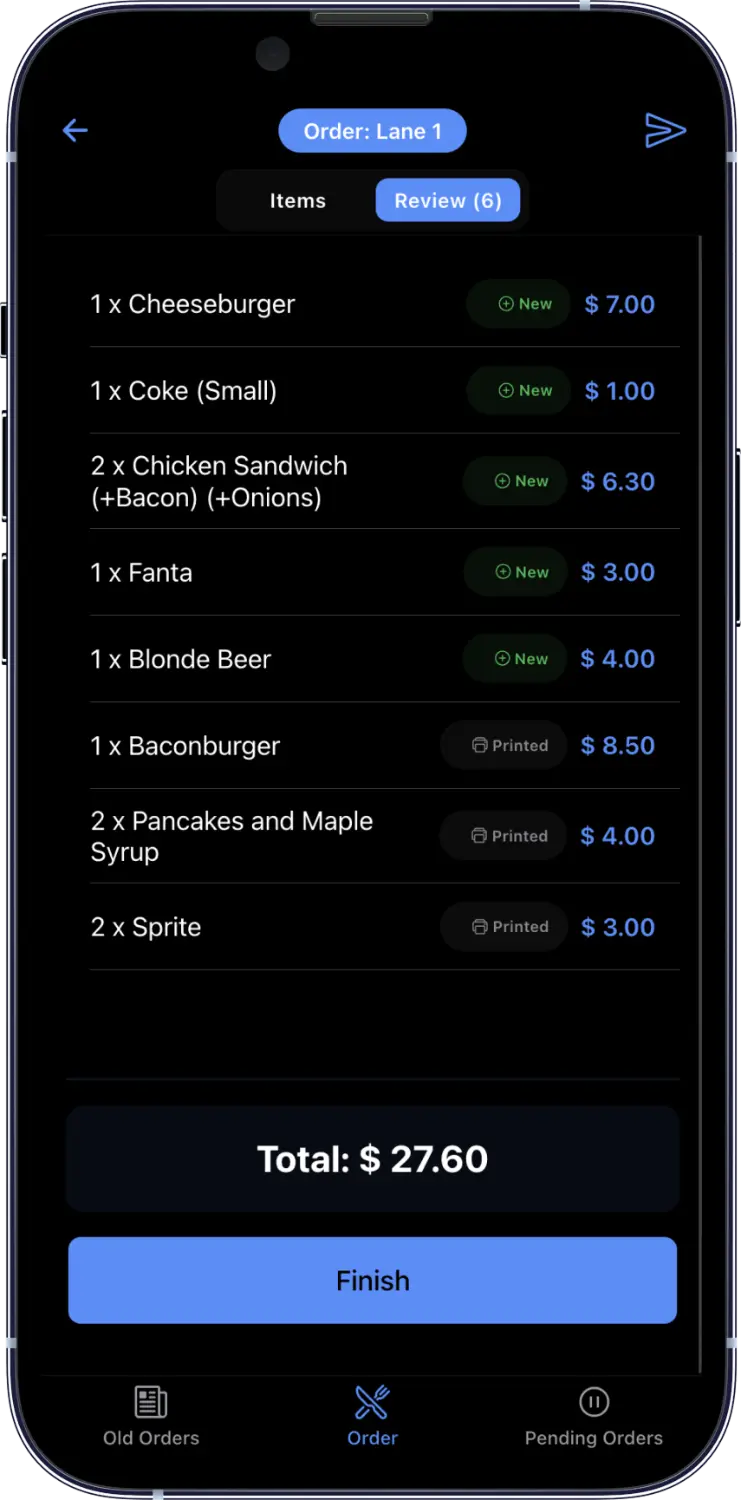
A quick check, then it is away
One look at the ticket before sending: no wrong dishes, no forgotten notes, no totals to recalculate. When an order grows over several rounds it stays clear what has been sent, printed and paid for.
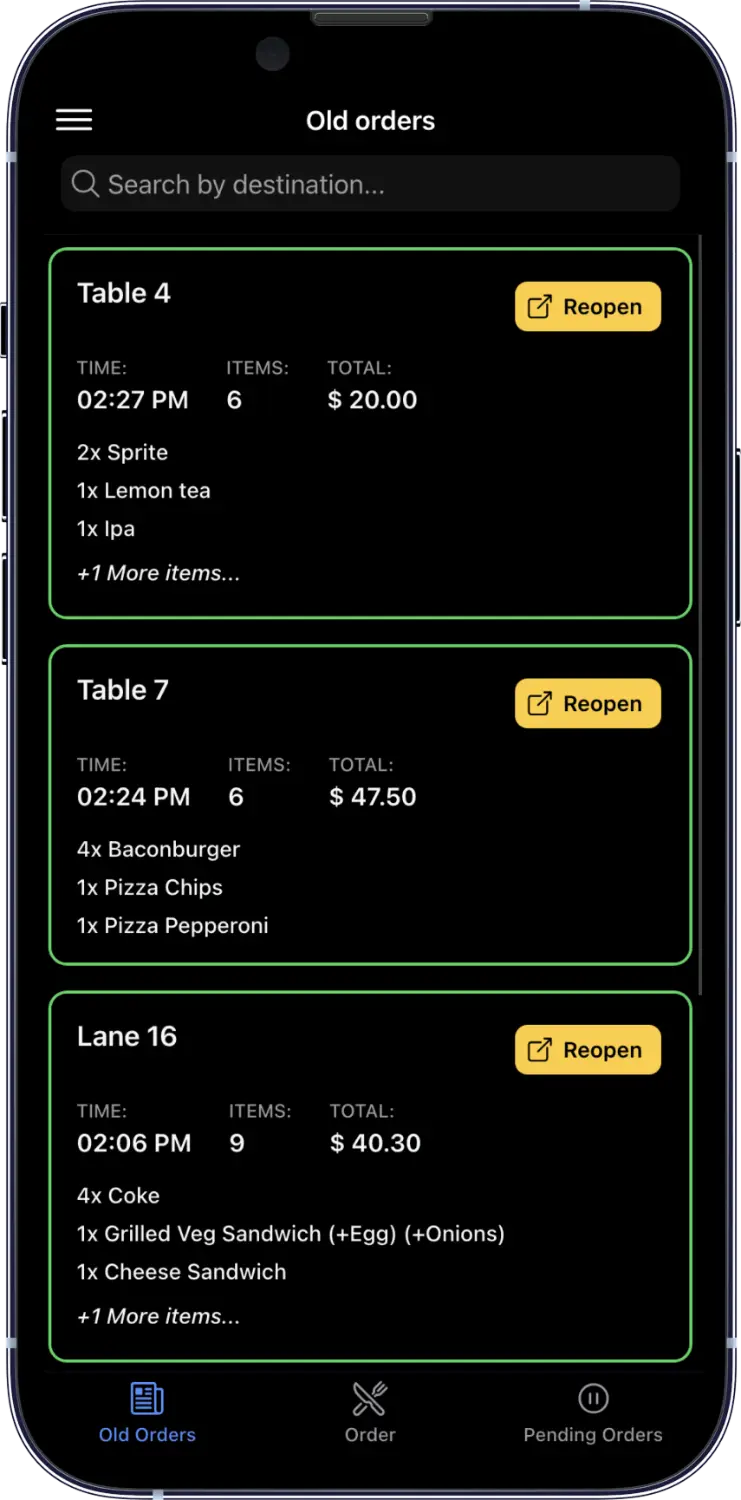
Reopen any order in an instant
Everything sent in the last few hours stays within reach. One tap on reopen and the order is active again, ready for new courses, without losing what has already been printed or paid.
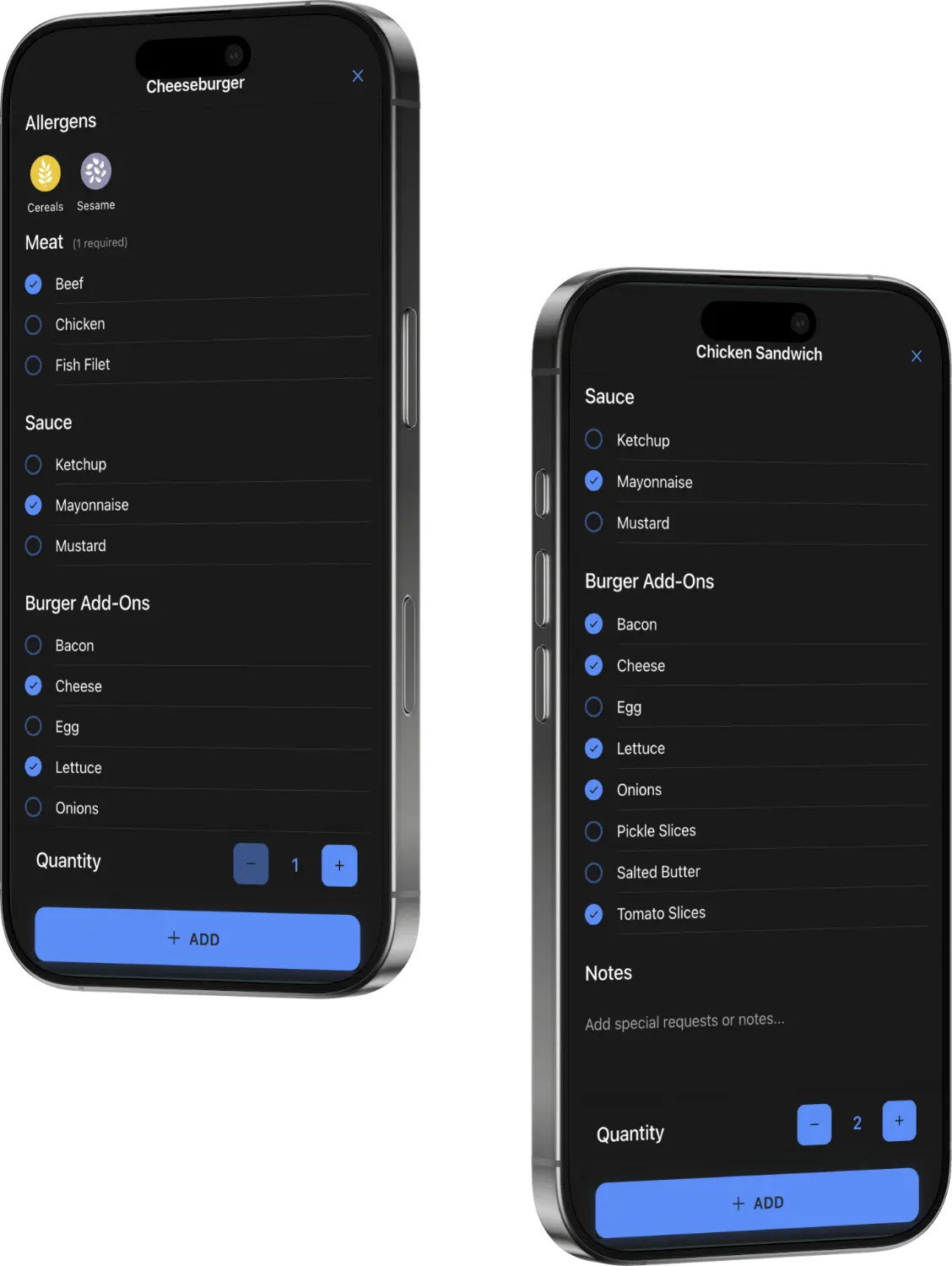
Service tailored to every customer
Variants, options, special notes and intolerances are all captured at the table and reach the kitchen without misunderstanding, with allergens kept in plain sight.
TableTap
Order taking that reaches the kitchen the same second.
Operators and permissions
Granular enough that a mechanic never sees the takings.
Scheduled and international
The jobs nobody should have to remember.
Standard modules are included in every installation. Optional modules are licensed separately and can be switched on later without reinstalling the system. That is useful when a centre adds billiards, a second venue or a cashless card operator after opening.
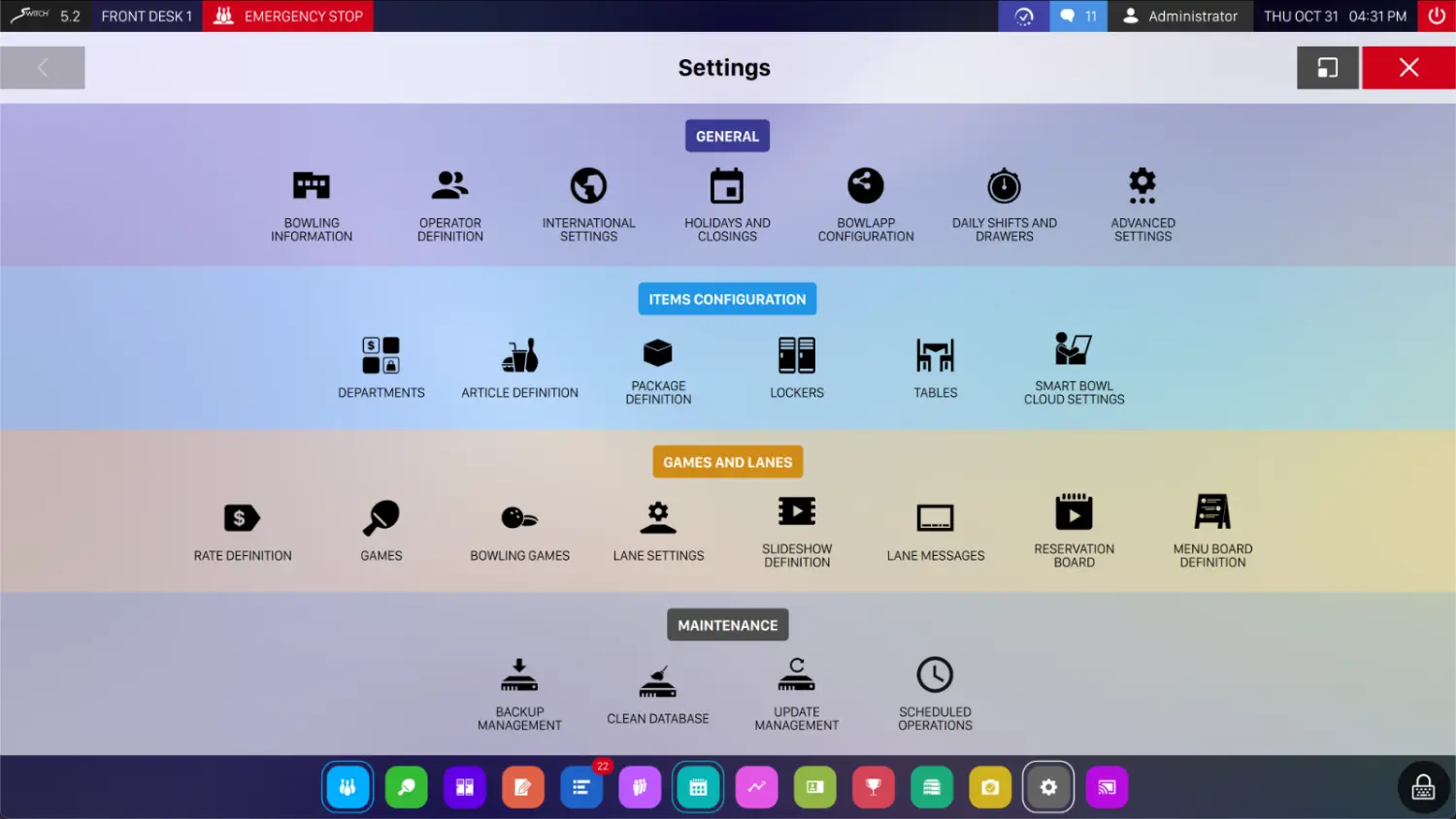
Every module in one settings panel
Standard and optional modules appear in the same place once licensed. Switching one on is a configuration change rather than a reinstallation.
Standard modules
IncludedPresent in every Genie installation.
Optional modules
Licensed separatelySwitched on when your business needs them, with no reinstallation required.
If your question is not here, the fastest route is a walkthrough. A short call with your lane count and your current setup in front of us is worth more than a brochure.
See Genie running a real centre.
Tell us your lane count and how you work today. Genie is €1 per lane, per day under the Switch It Up! campaign, and it fits any pinsetter brand.